

Before You Start
Prepare an AiToEarn account that can sign in normally, plus the social media accounts used for publishing (such as a Facebook Page), and make sure those accounts can sign in and be used without issues.Run a Promotion
1. Open Overseas Short Drama Promotion
Open the Task Square and select Overseas Short Drama Promotion.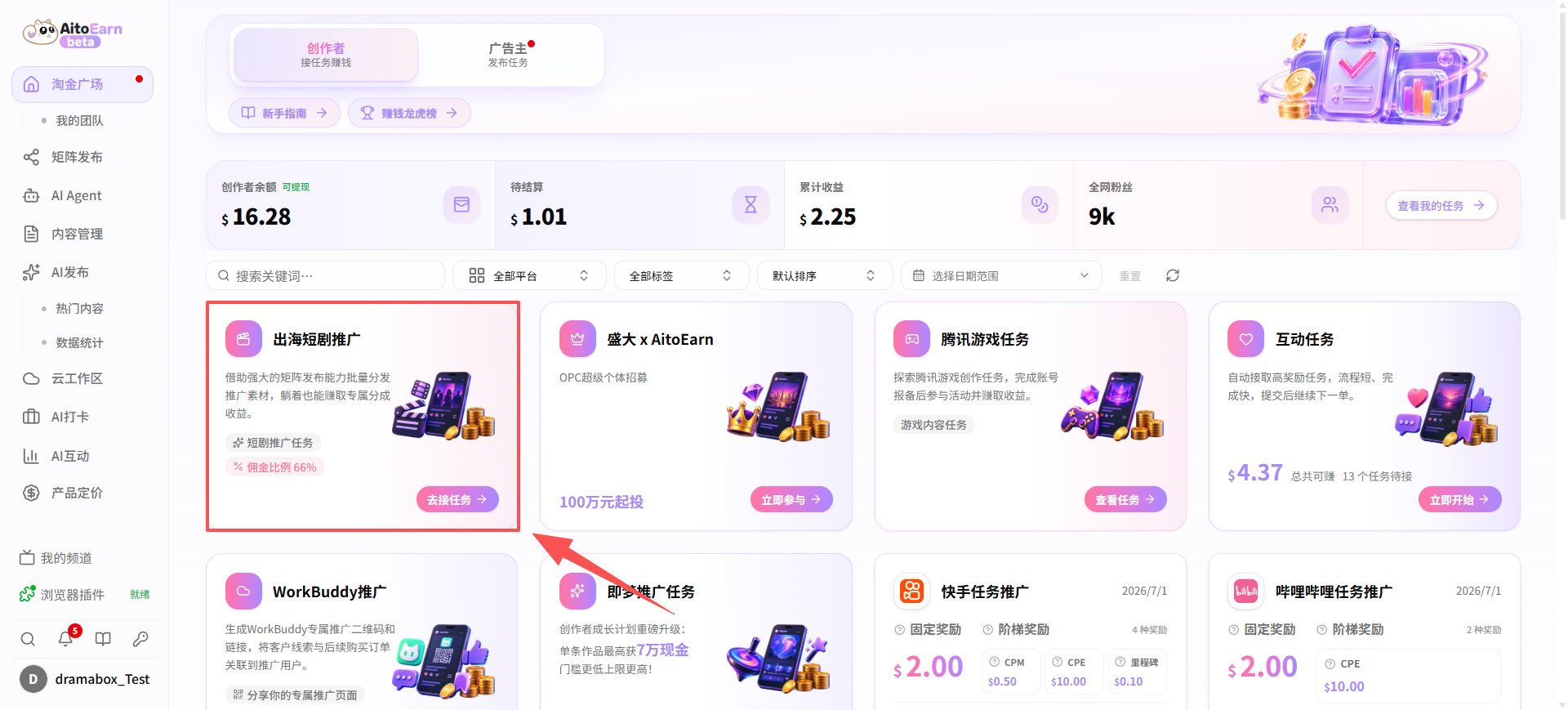
2. Authorize Your Facebook Page
Before promoting short dramas, you need to authorize and bind your Facebook Page to AiToEarn. Click My Channels in the bottom-left corner of the home page to open the channel management page, select the Facebook category, then click Add Channel in the top-right corner and follow the prompts to complete the Page authorization. When managing multiple accounts, we recommend using Cloud Workspace to complete the authorization so each account keeps a stable environment.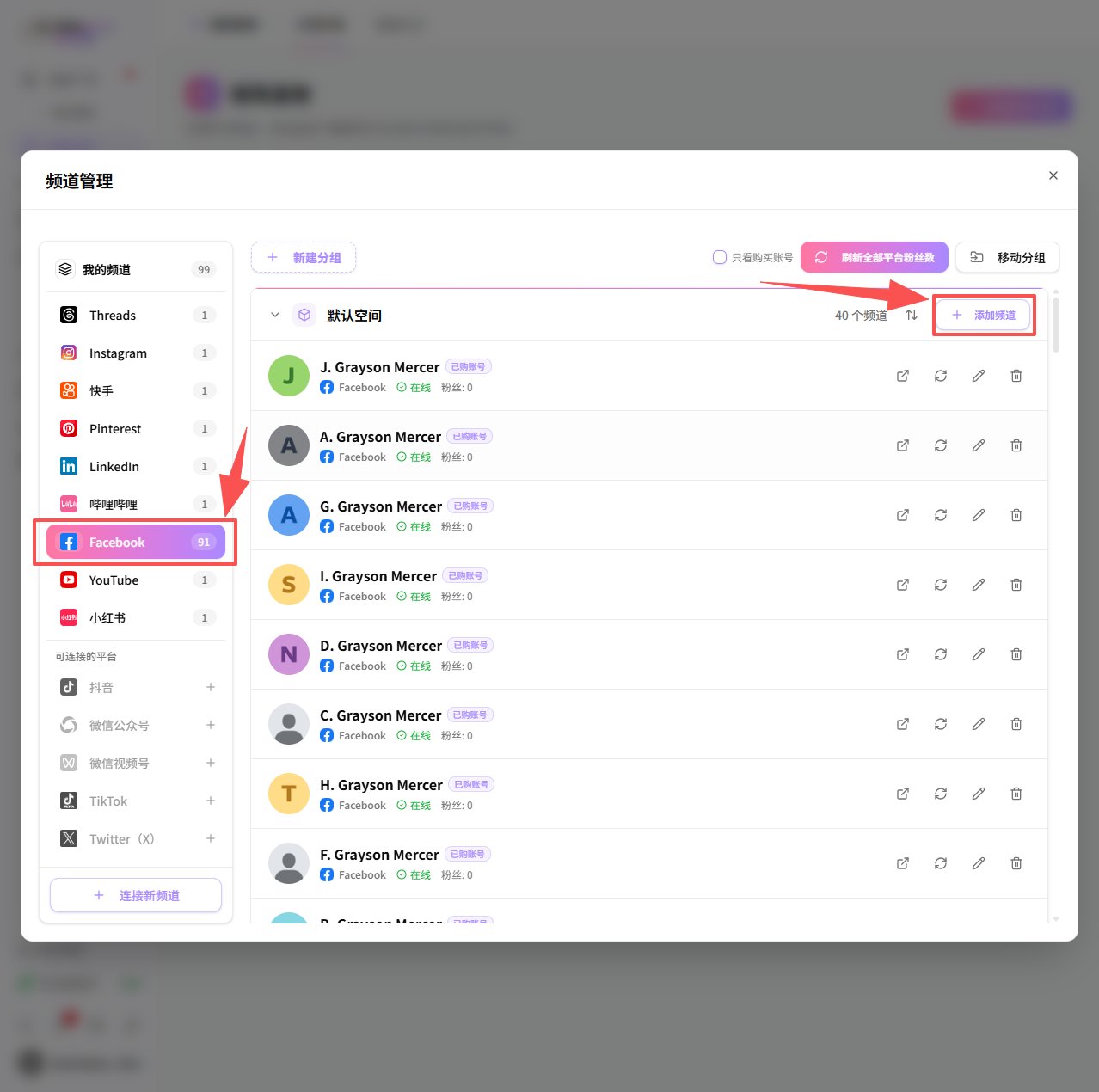
3. Create a Matrix Publishing Plan
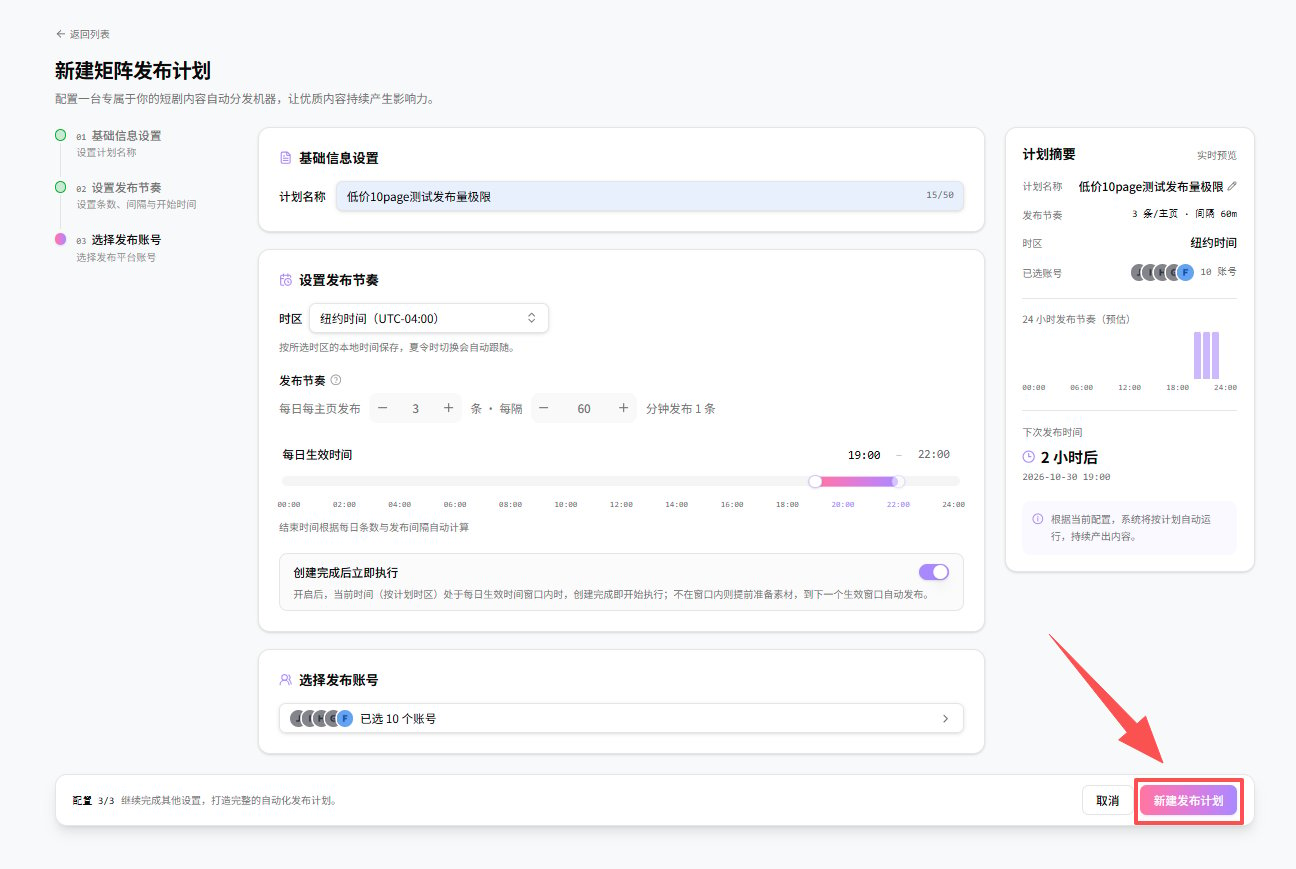
In the task list, click the Promote and Earn button to open the matrix publishing plan creation page. Enter a plan name, set the time zone, publishing volume, and publishing time window, and select the authorized Facebook Pages. After confirming the plan details in the summary panel on the right, click Create Publishing Plan to finish. Once created, the plan automatically publishes according to the configured time window.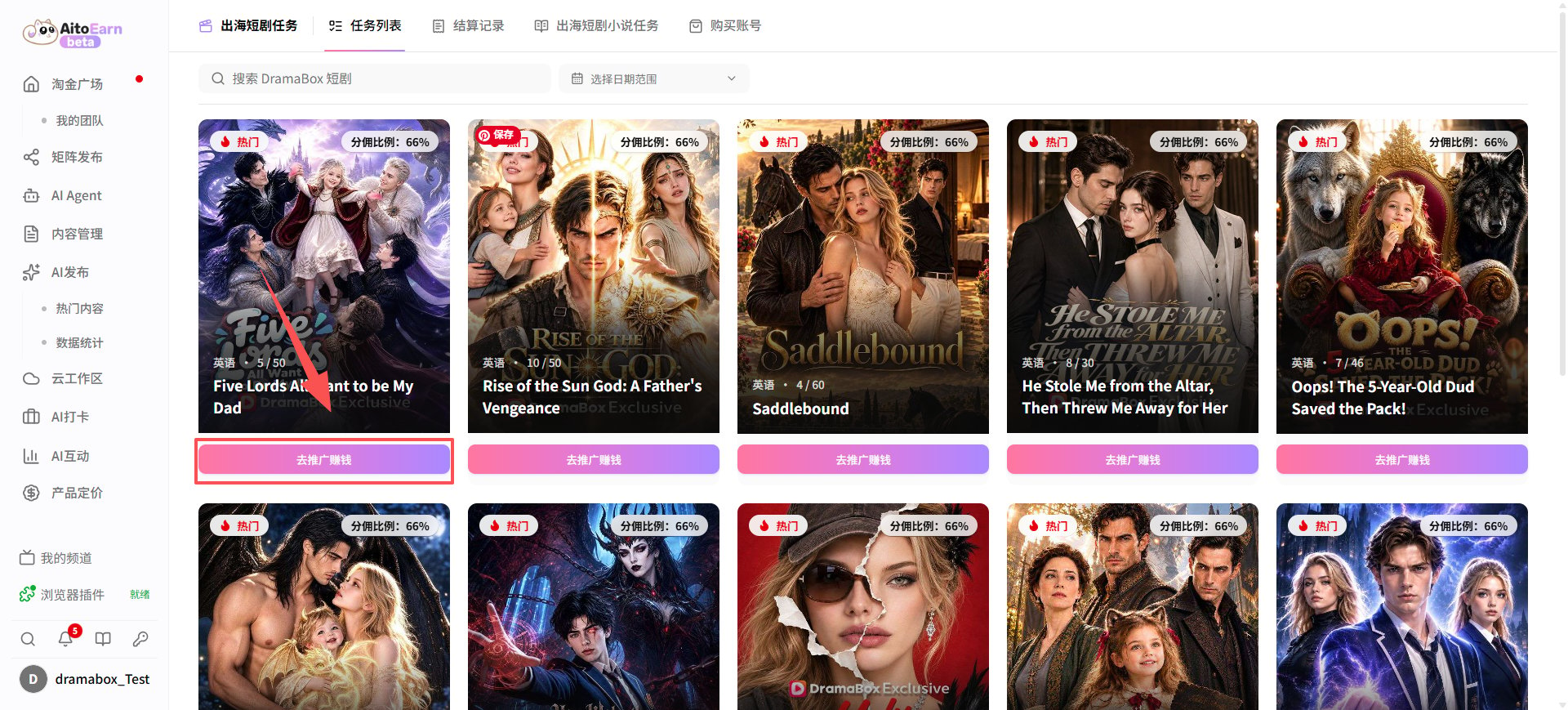
Review After Publishing
Once created, the plan runs automatically within the configured time window. Click the plan to open the plan detail page, where you can review data, maintain the plan, and adjust settings in one place.Check the Execution Overview
The Overview tab summarizes how the plan is running:- Execution overview: posts published today, tasks in progress, failures today, total views, link clicks in the last 30 days, and a countdown to the next publishing window;
- Channel CPS summary: daily snapshots for each channel in the plan, used to track the conversion performance of each Facebook Page;
- Account matrix: the current status of each account in the plan (promoting, slicing), so you can confirm every account is running normally;
- Daily data for the last 7 days: daily trends of views and clicks, used to judge content performance.
Maintain Plan Content
- Channels: manage the Facebook Pages in the plan; add or remove accounts that take part in publishing;
- Drama Square: browse promotable episodes, filter them manually, and add the ones you want to promote to the plan;
- Materials: view the clips generated and used by the plan;
- Publishing Records: check the status and result of every publishing task; when a publish fails, follow the prompts to check account authorization or content;
- Logs: view the plan’s execution logs to troubleshoot issues.
Adjust Plan Settings
In Settings, you can change the plan name, publishing time window, time zone, and other configuration. Use Deactivate in the top-right corner to pause automatic publishing.View the Overall Data Summary
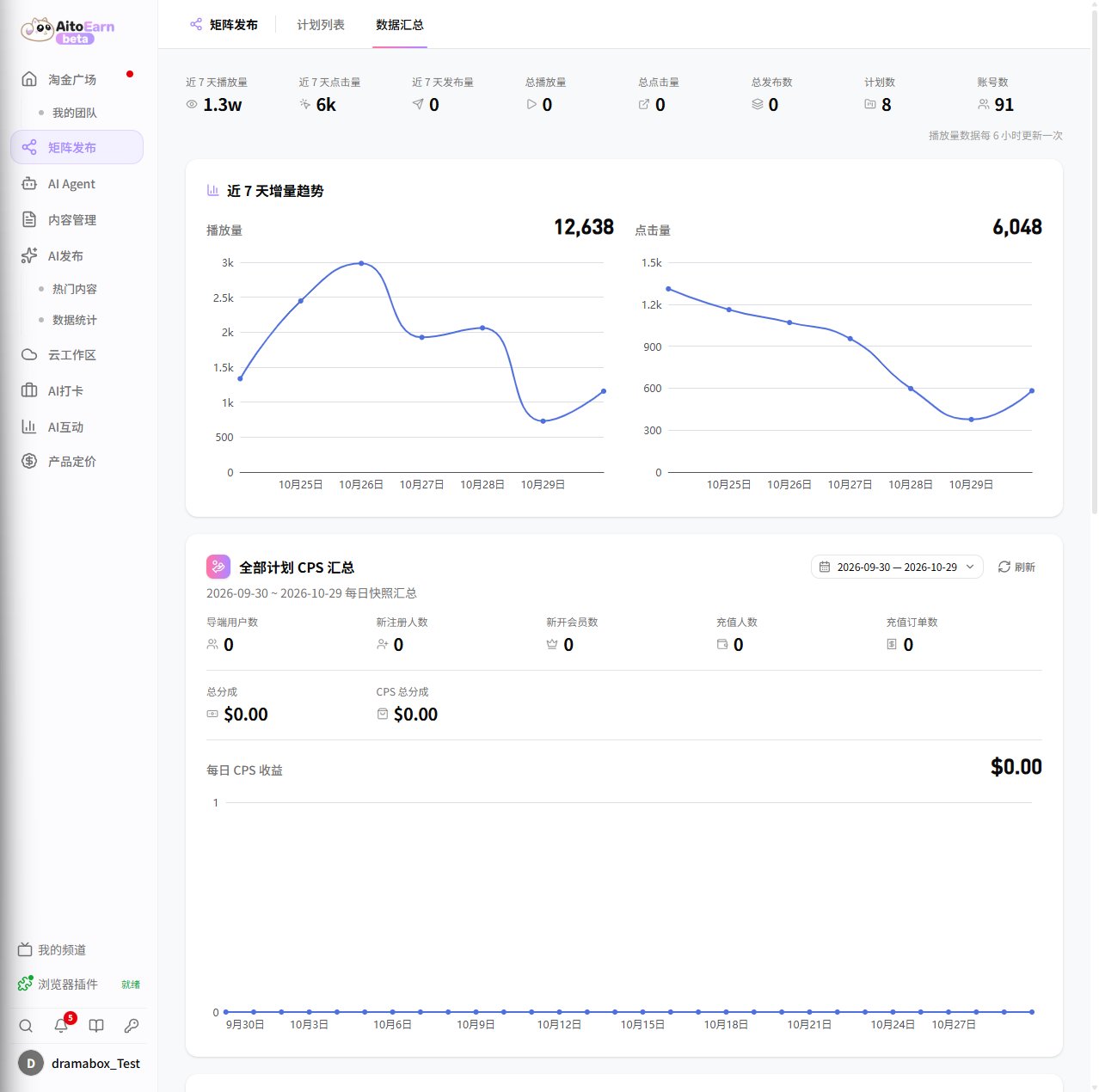
In addition to each plan’s detail page, switch to the Data Summary tab on the Matrix Publishing page to see the overall performance of all plans:- Top metrics: views, clicks, and posts in the last 7 days, plus total views, total clicks, total posts, plan count, and account count. View data is updated every 6 hours, so it is normal for the numbers to stay unchanged for a short period;
- 7-day growth trend: daily trend charts for views and clicks, used to judge whether overall content performance is rising or falling;
- All-plan CPS summary: for the selected date range, shows referred users, new registrations, new memberships, paying users, and payment orders, along with total revenue and total CPS revenue; the daily CPS revenue chart below shows how earnings change day by day.
Review Tips
- Judge views, audience regions, and conversion performance together; high views do not guarantee high conversion;
- Use the plan detail page and platform data to observe content performance, then adjust episode selection, editing, and publishing times;
- Keep the content and data records required by the task page while waiting for statistics and settlement;
- If you receive a copyright notice, takedown, or restriction, stop republishing the same content first, then follow the current guidance on the task page or platform.
Publishing does not mean the task is settled. Continue to follow the content retention, data statistics, and settlement requirements on the task page.