

If you do not have an API Key yet, read Get API Key.
Prerequisites
Before you start, make sure you have:- An AiToEarn account and AiToEarn API Key.
- WorkBuddy installed and working.
Use the Expert
Open WorkBuddy, go to the Experts · Skills · Connectors page, search for the AiToEarn omnichannel content operations expert, and add it.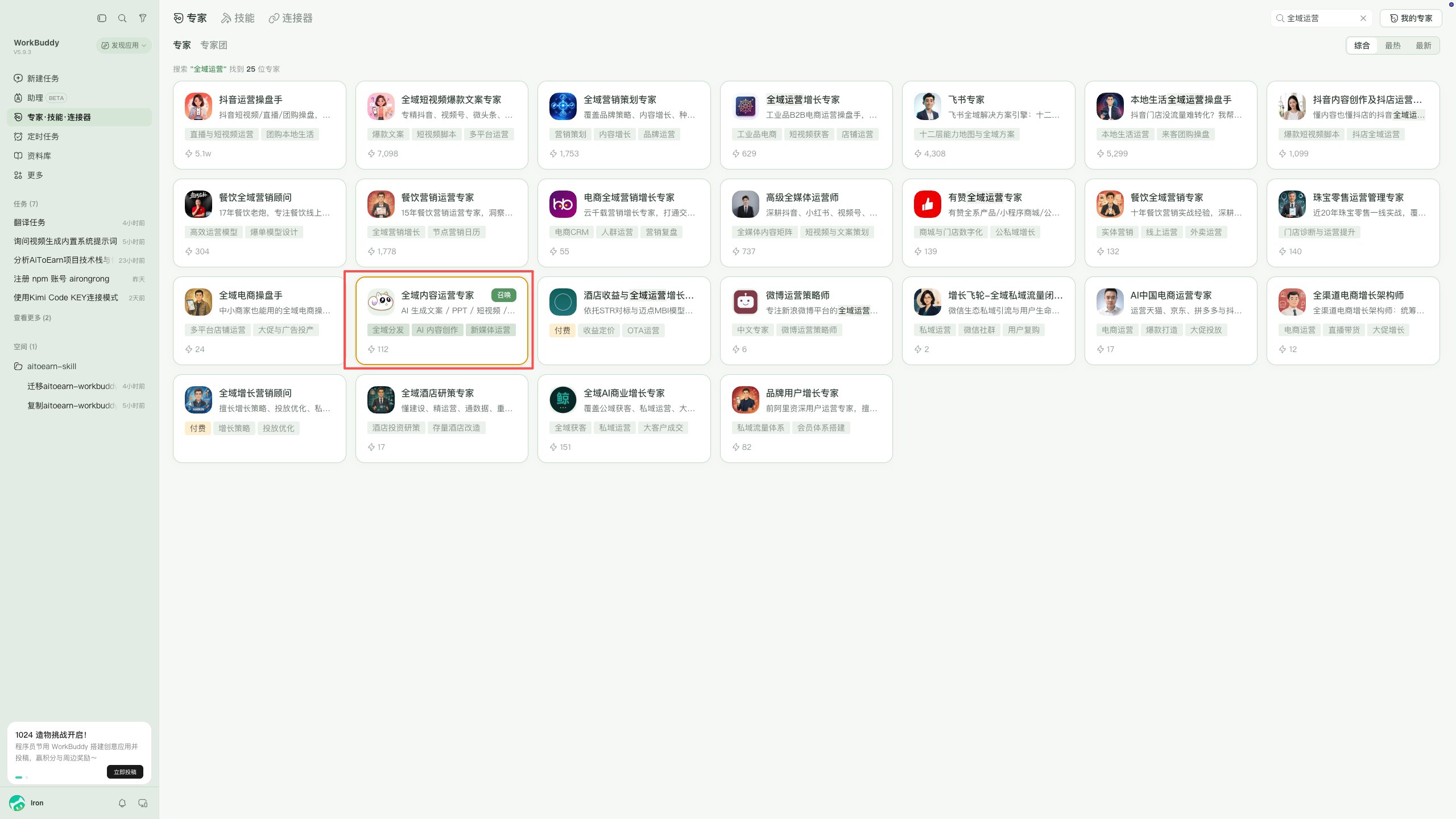
Connect AiToEarn MCP
In the chat input box, switch the mode to Expert, select the AiToEarn content operations expert, then choose the AiToEarn MCP connector to connect: AiToEarn MCP (International) or AiToEarn MCP (China).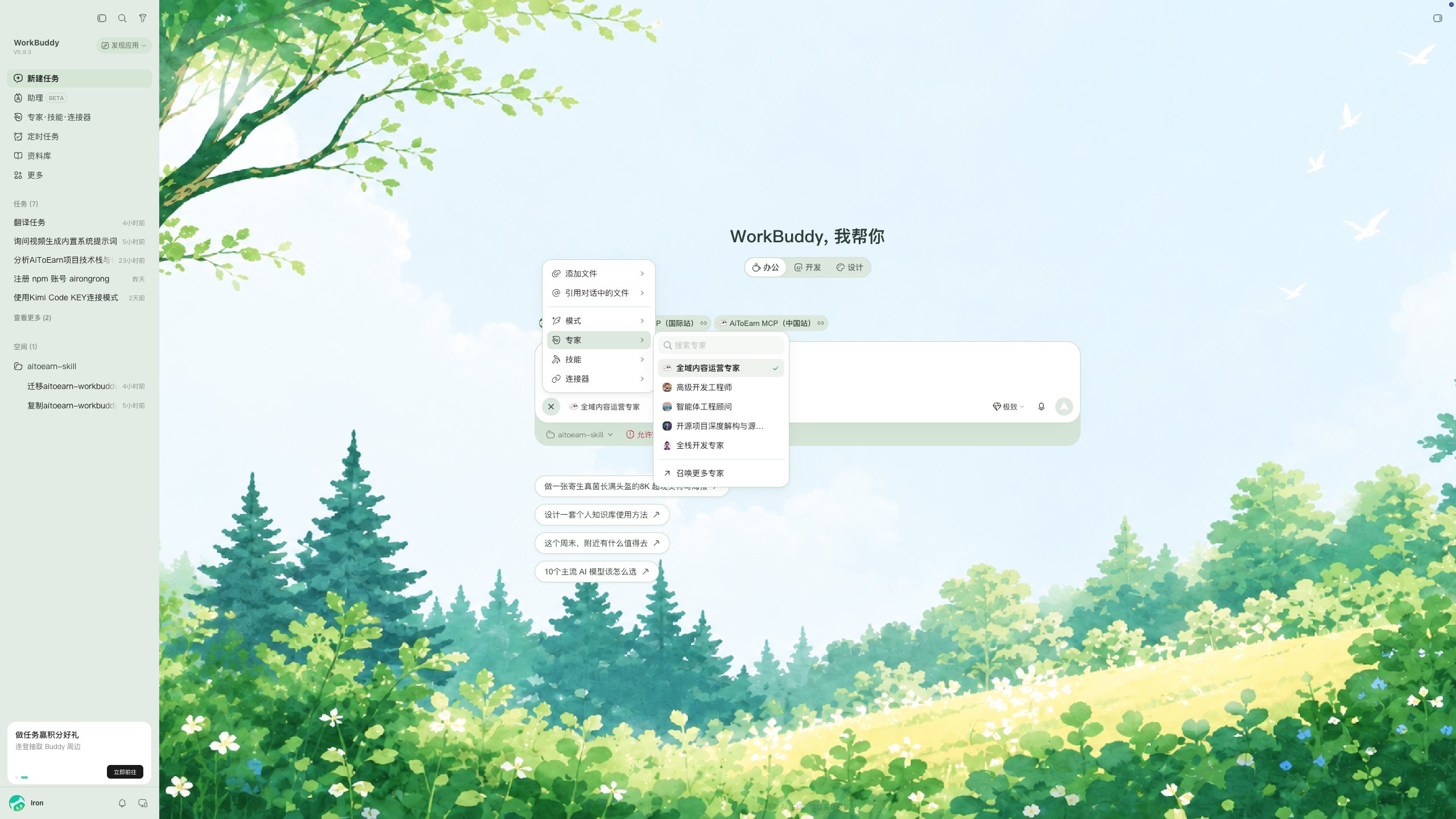
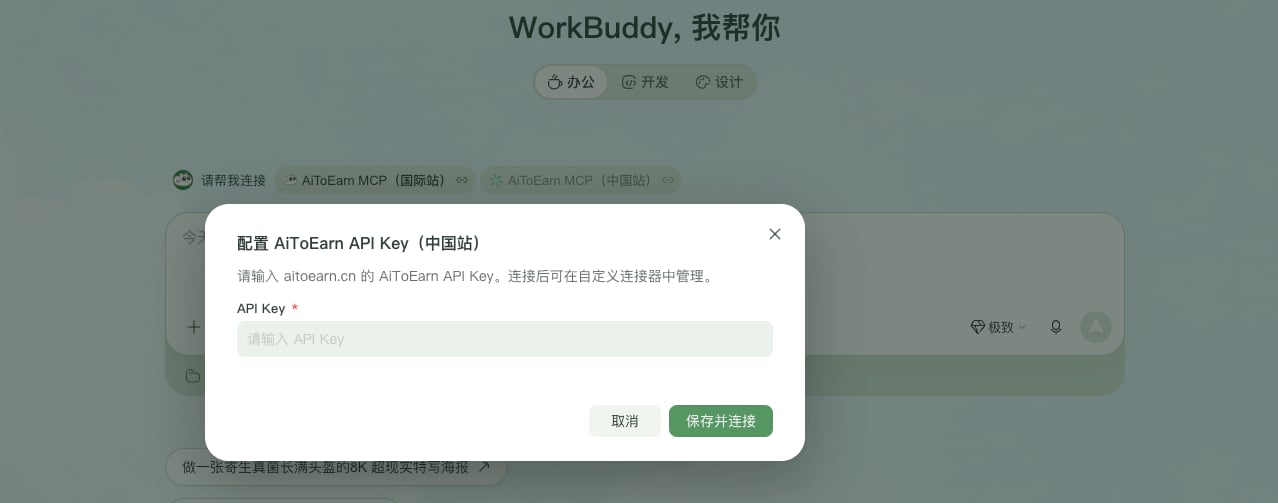
Plan a week of short video content for me, with topics, scripts, and cover images.You can review and manage the connection status in custom connector settings.
Troubleshooting
- Connection failed: make sure the API Key comes from the AiToEarn API Key page and matches the connector site (China and international Keys are not interchangeable).
- Expert not found: make sure you search for the AiToEarn content operations expert on the Experts · Skills · Connectors page.