

The skill entry is only available in the Doubao desktop client (Mac/Windows). The web version and mobile app do not have it. If you do not have an API Key yet, read Get API Key.
Prerequisites
Before you start, make sure you have:- An AiToEarn account and AiToEarn API Key.
- The Doubao desktop client (Mac/Windows).
- The AiToEarn Doubao skill package.
Upload the Skill Package
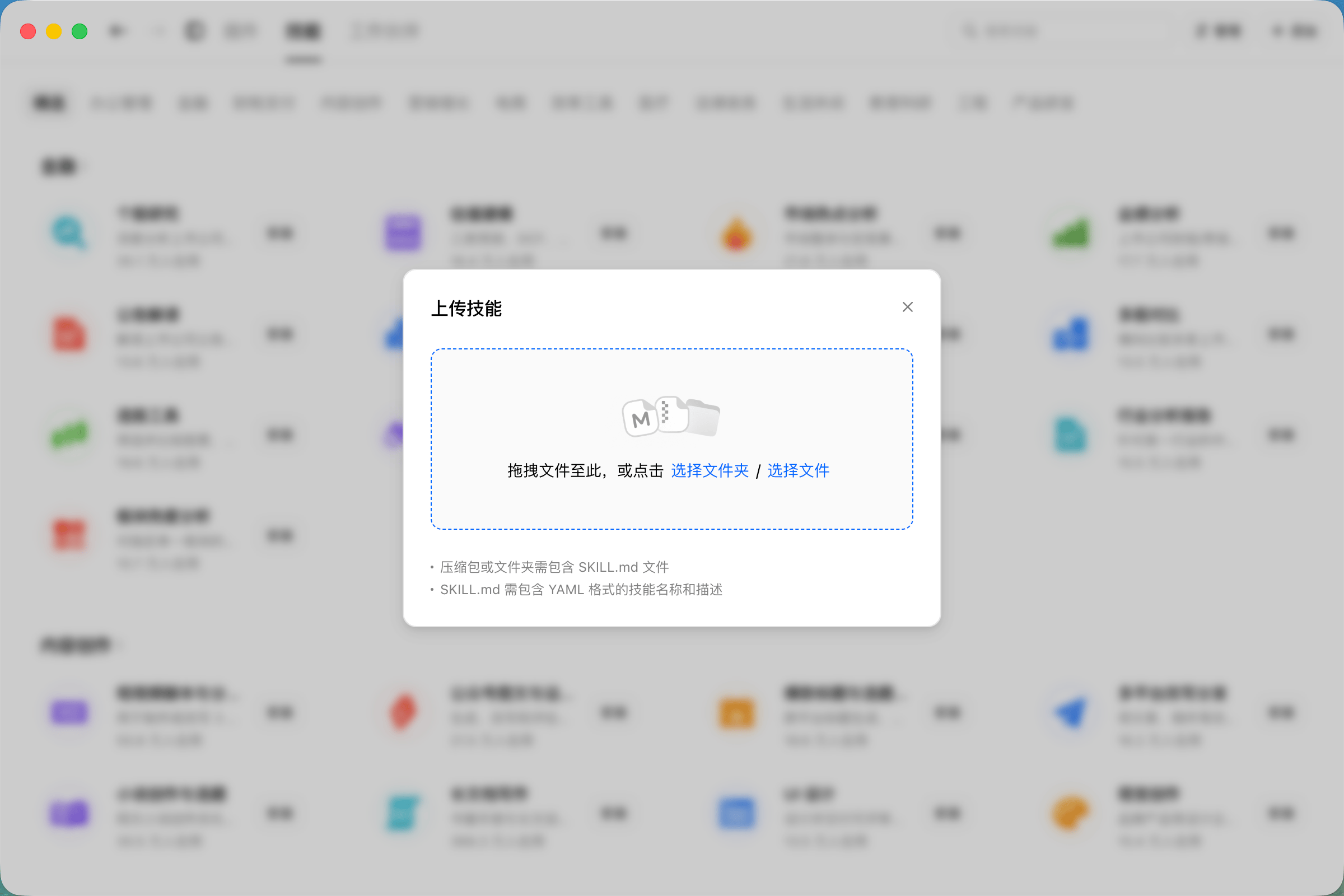
Open the Doubao desktop client, go to Plugins · Skills · Partners in the left sidebar, switch to the Skills tab, click + Add in the top-right corner, and choose Upload Skill.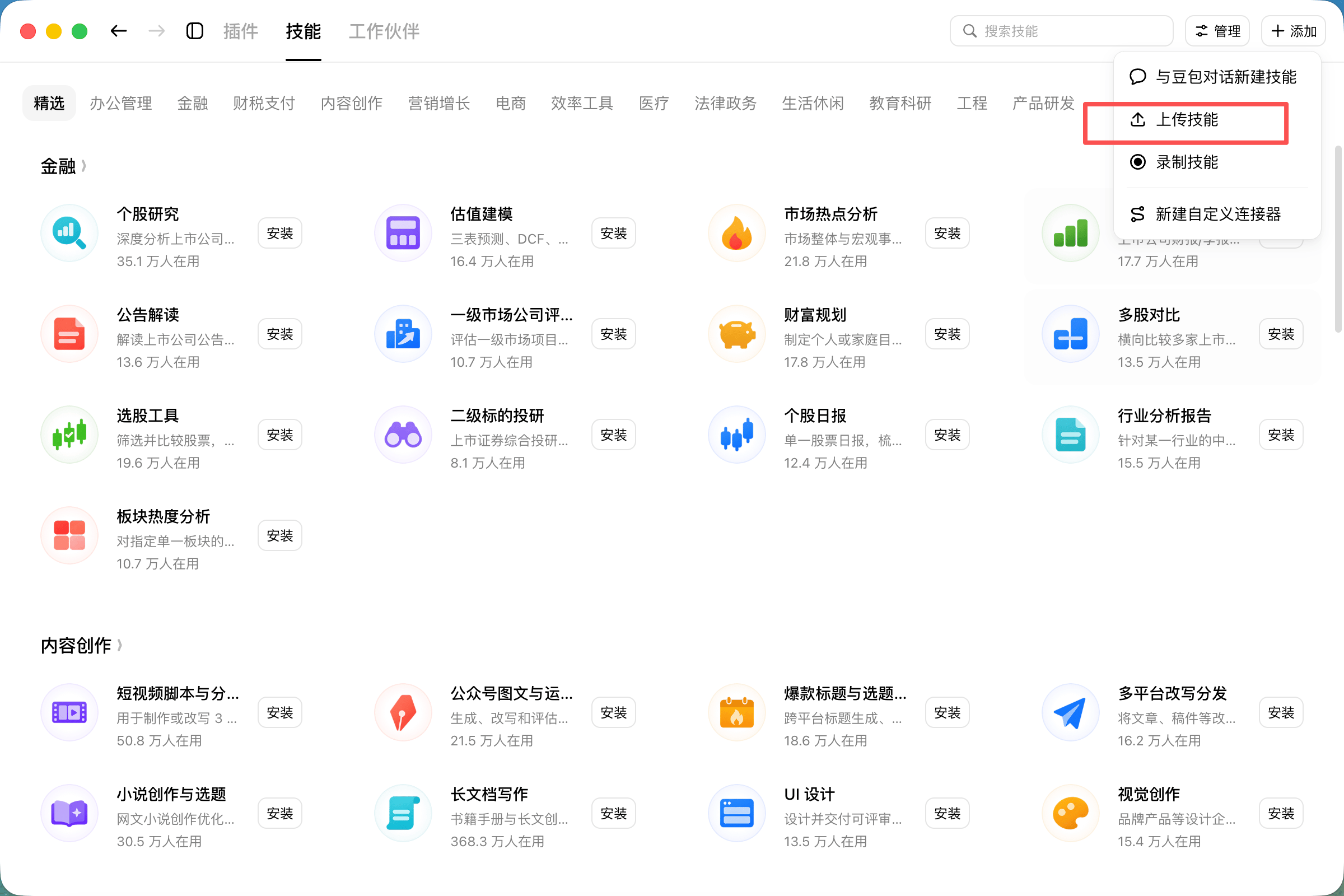
SKILL.md file with the skill name and description in YAML format.
Create a Custom Connector
On the same page, click + Add in the top-right corner and choose New Custom Connector.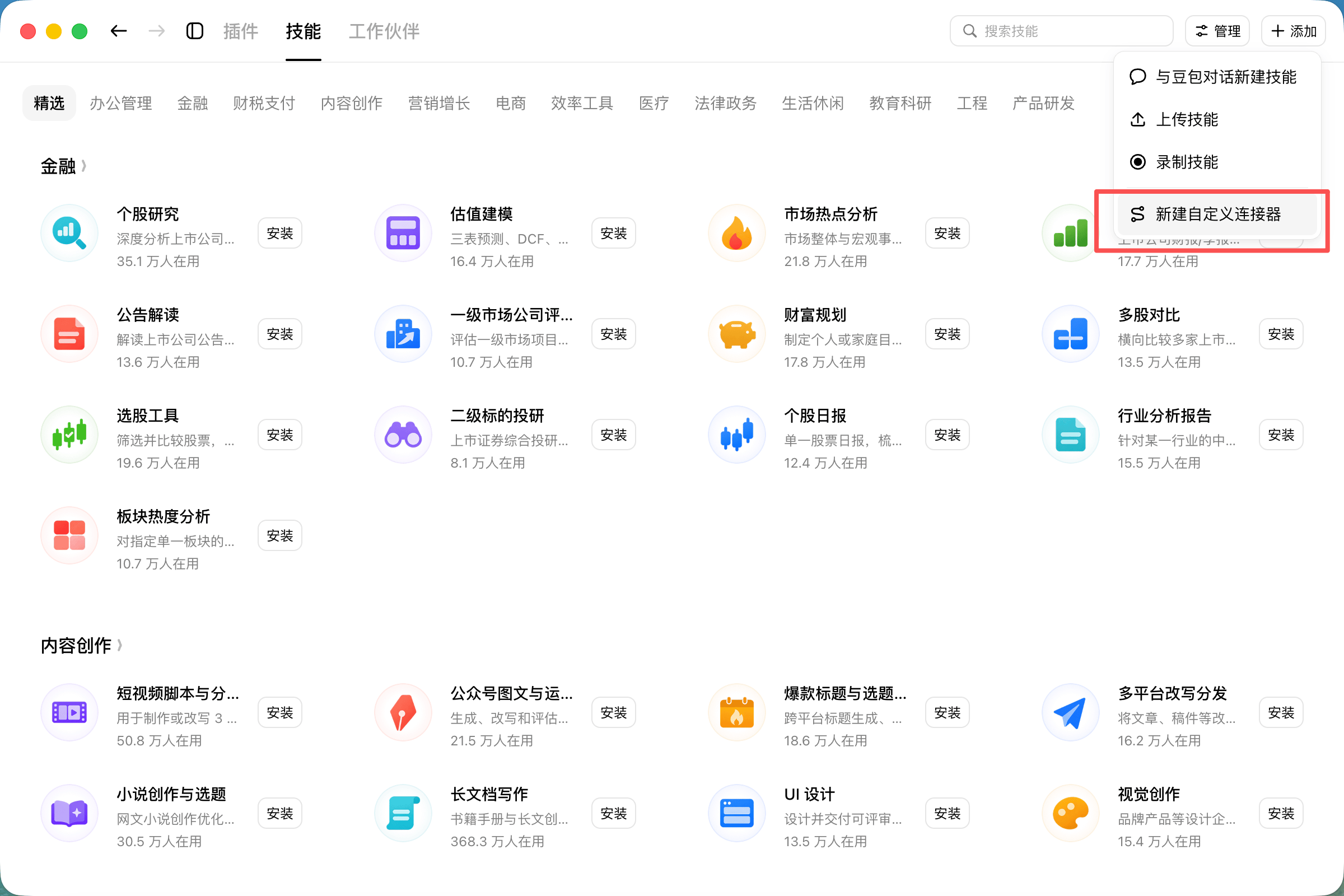
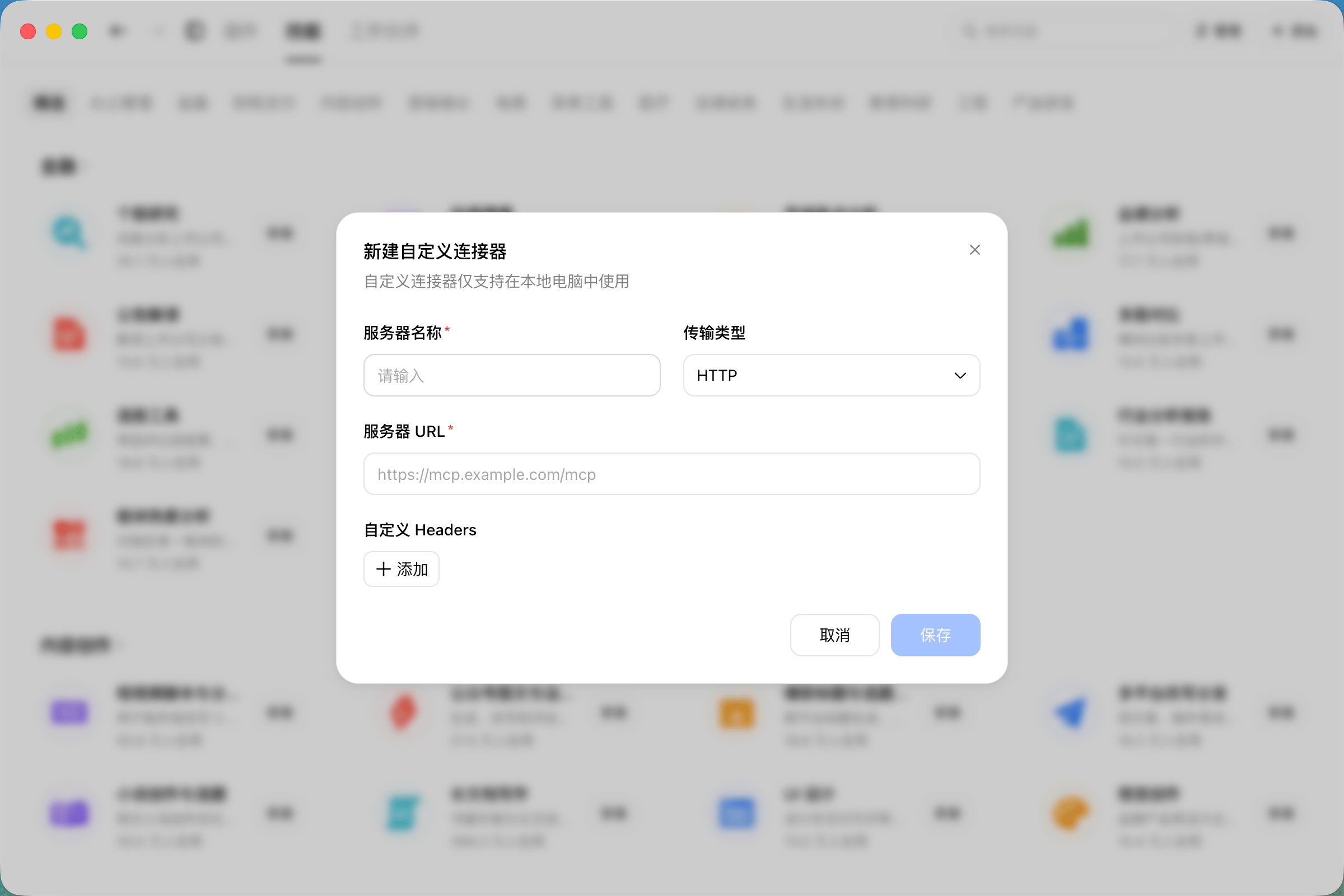
The URL must match the site where your API Key was created. Click Save when done.
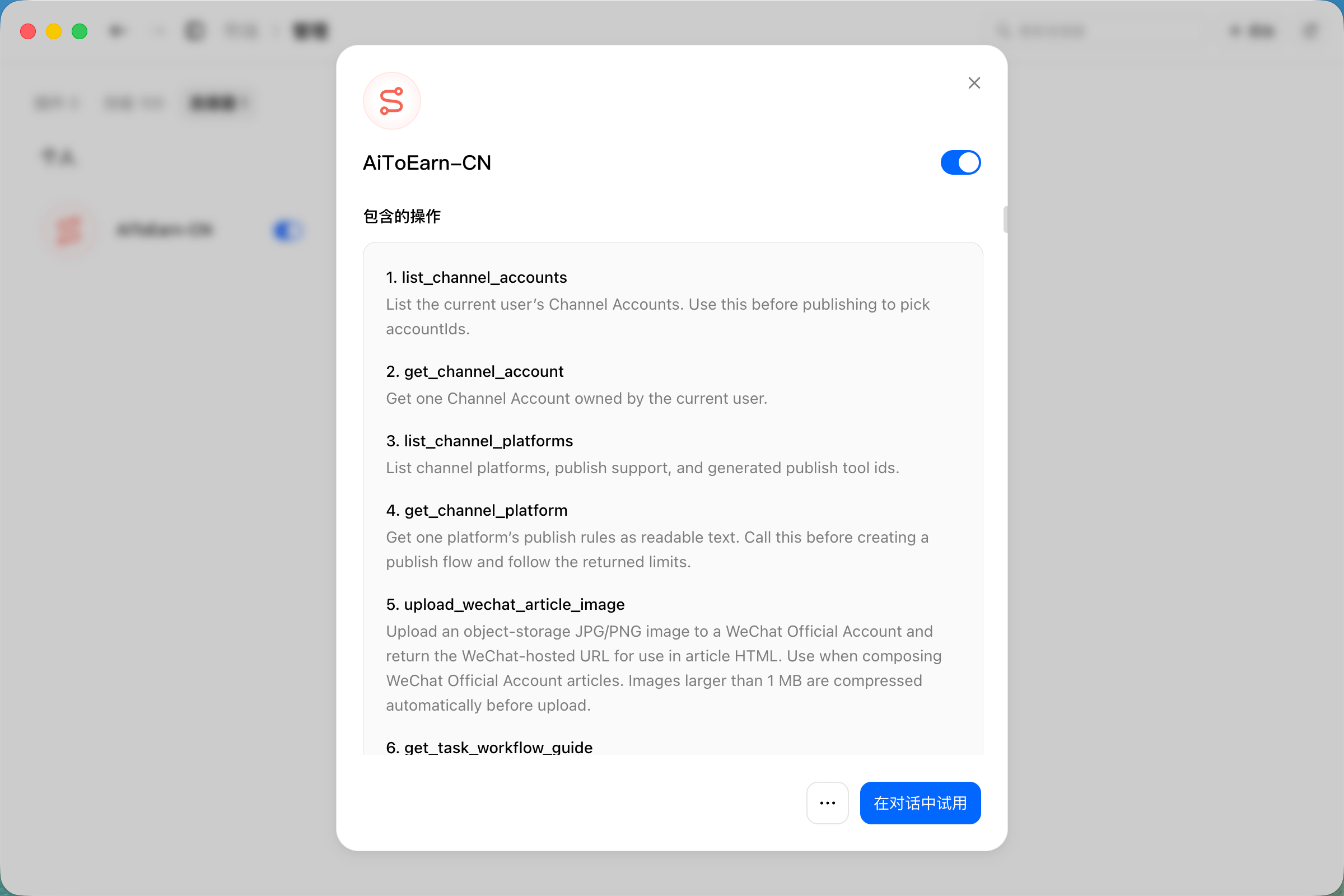
Once saved, the AiToEarn connector appears in the connector list with a toggle. Click the connector name to view all operations (tools) it includes and confirm they match your expectations.
Use It
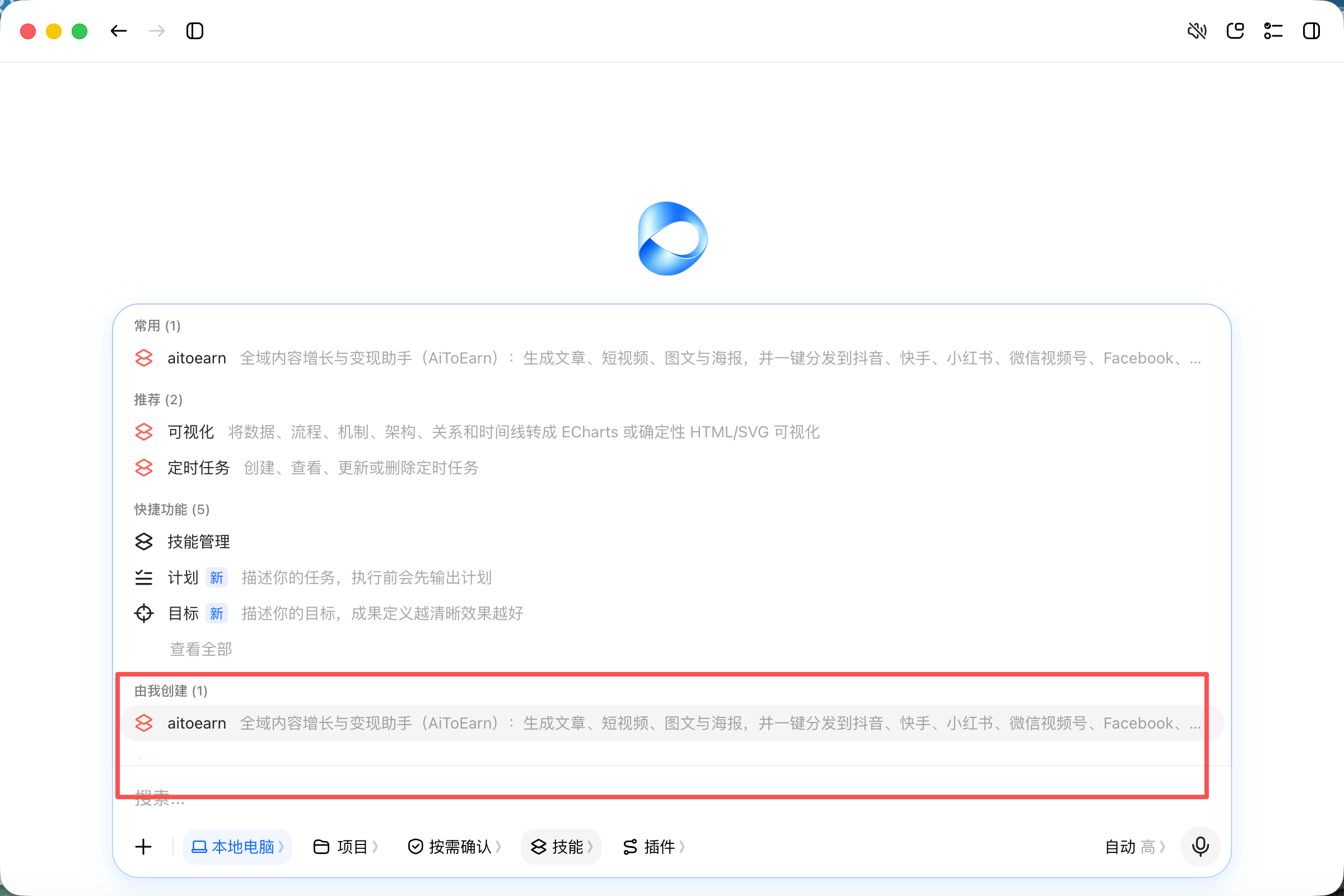
Once configured, select the AiToEarn skill in a Doubao conversation first: click Skills below the chat input box and chooseaitoearn under Created by me.
Plan a week of short video content for me, with topics, scripts, and cover images.Doubao will automatically invoke the AiToEarn skills and connector based on the conversation.
Troubleshooting
- Connector call failed: make sure the URL matches the site of your API Key, and the Key comes from the AiToEarn API Key page.
- Cannot find the skill entry: make sure you are using the Doubao desktop client; the web version and mobile app do not have it.