

SKILL.md file, then invoke AiToEarn capabilities directly from a conversation.
If you do not have an API Key yet, read Get API Key.
Prerequisites
Before you start, make sure you have:- An AiToEarn account and AiToEarn API Key.
- Trae installed and working.
Configure MCP
Open the plugin market in Trae, go to the Manage page, switch to the MCP tab, click Add, and choose manual configuration.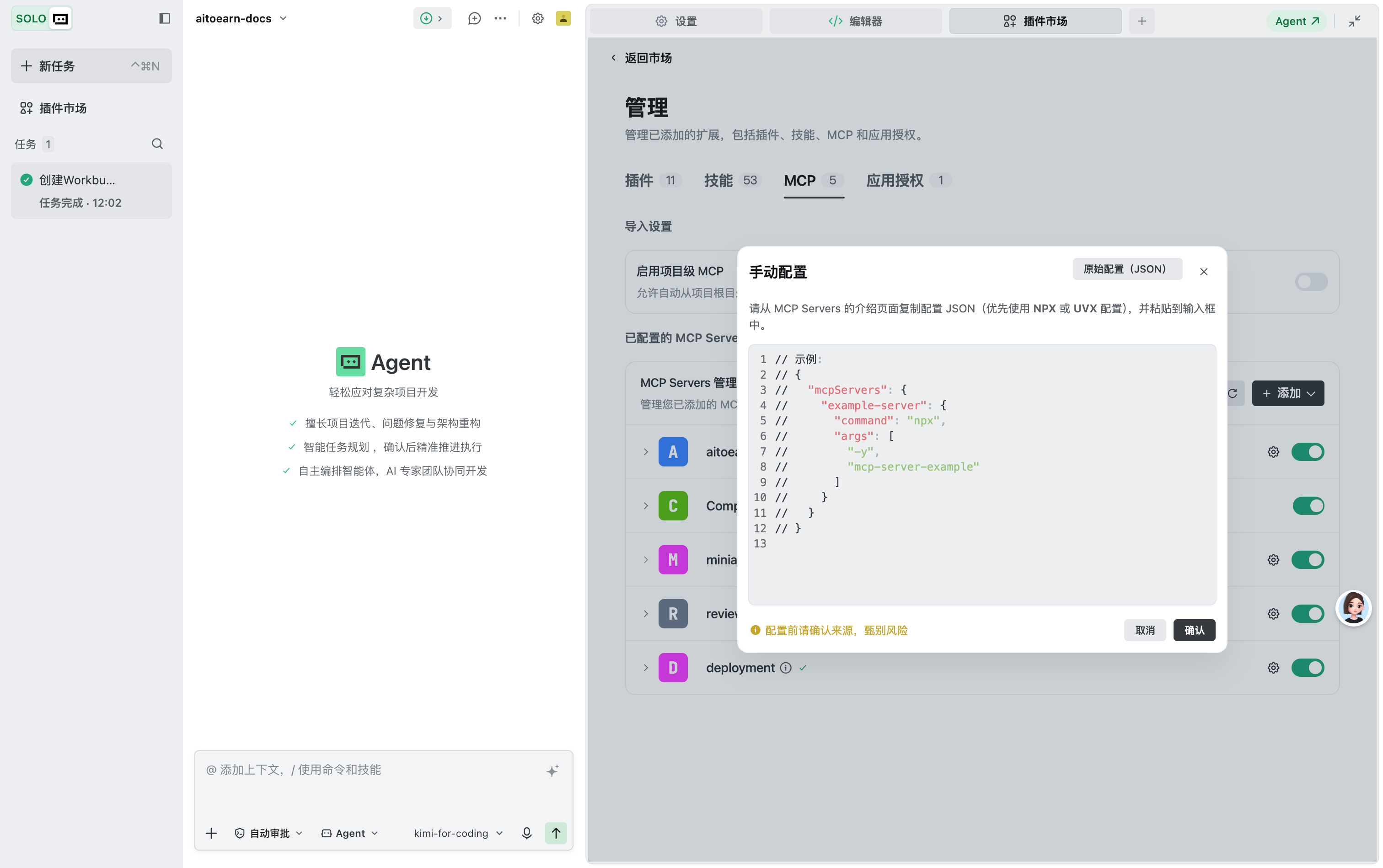
url must match the site of your API Key: https://aitoearn.cn/api/ai/agent/mcp for the China site, https://aitoearn.ai/api/ai/agent/mcp for the international site:
If you have already uploaded the AiToEarn skill package below, its
scripts/aitoearn-mcp-setup.mjs can register and verify the server automatically. Run node scripts/aitoearn-mcp-setup.mjs <API_KEY> cn (China site) or node scripts/aitoearn-mcp-setup.mjs <API_KEY> ai (international site) in a terminal.Upload a Skill Package
On the Skills tab of the Manage page in the plugin market, click Upload Skill and drag or select a.zip or .skill file that contains a root-level SKILL.md file.
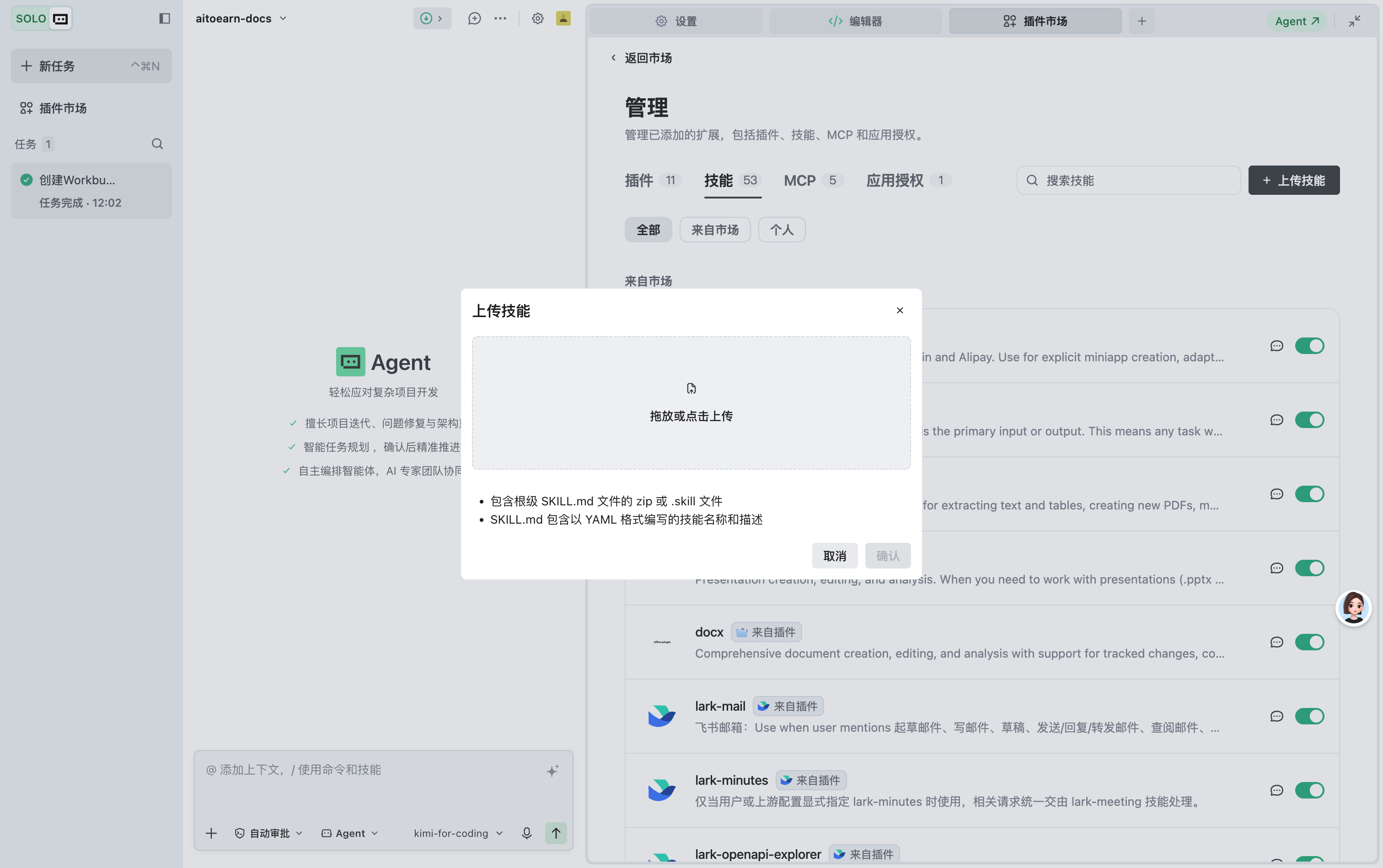
SKILL.md file declares the skill name and description in YAML format. After upload, Trae uses the description to understand when to use the skill.
You can download the ready-made AiToEarn Trae skill package:
Download the AiToEarn Trae skill package
Invoke a Skill
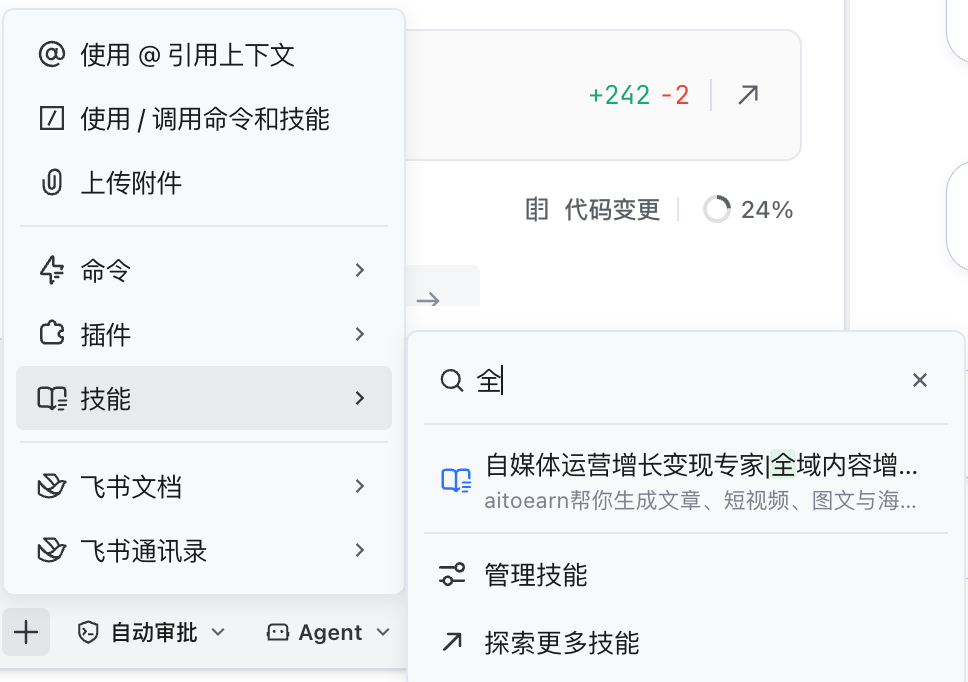
In the chat input box, click+ in the bottom-left corner, choose Skills, and search by keyword to find your uploaded skills.
Troubleshooting
- MCP connection failed: make sure the server URL is correct and the API Key comes from the AiToEarn API Key page and matches the site.
- Skill not recognized: make sure the archive contains a root-level
SKILL.mdwith valid YAML name and description.