> ## Documentation Index
> Fetch the complete documentation index at: https://docs.aitoearn.ai/llms.txt
> Use this file to discover all available pages before exploring further.
# Codex Integration
> Connect Codex to AiToEarn through cc-switch
This guide shows how to use cc-switch to connect Codex to AiToEarn's OpenAI Chat Completions compatible endpoint. It is useful when Codex expects a Responses API style flow, while you want to use AiToEarn language model access.
If you do not have an API Key yet, read [Get API Key](/en/use/api-key) first.
Your API Key is a private credential. Do not expose the full key in configuration screenshots, support messages, or shared logs.
## Before You Start
Prepare the following:
1. [AiToEarn API Key](/en/use/api-key).
2. A working Codex installation.
3. cc-switch. Download the version for your operating system from [cc-switch releases](https://github.com/farion1231/cc-switch/releases).
AiToEarn API Keys are bound to the site where they were created. Use the matching endpoint:
| Site | OpenAI Chat Completions endpoint |
| ------------------ | --------------------------------------------- |
| China site | `https://aitoearn.cn/api/ai/chat/completions` |
| International site | `https://aitoearn.ai/api/ai/chat/completions` |
To confirm available model names, check [Chat models](/api-reference/get-api-ai-models-chat).
## Configure cc-switch
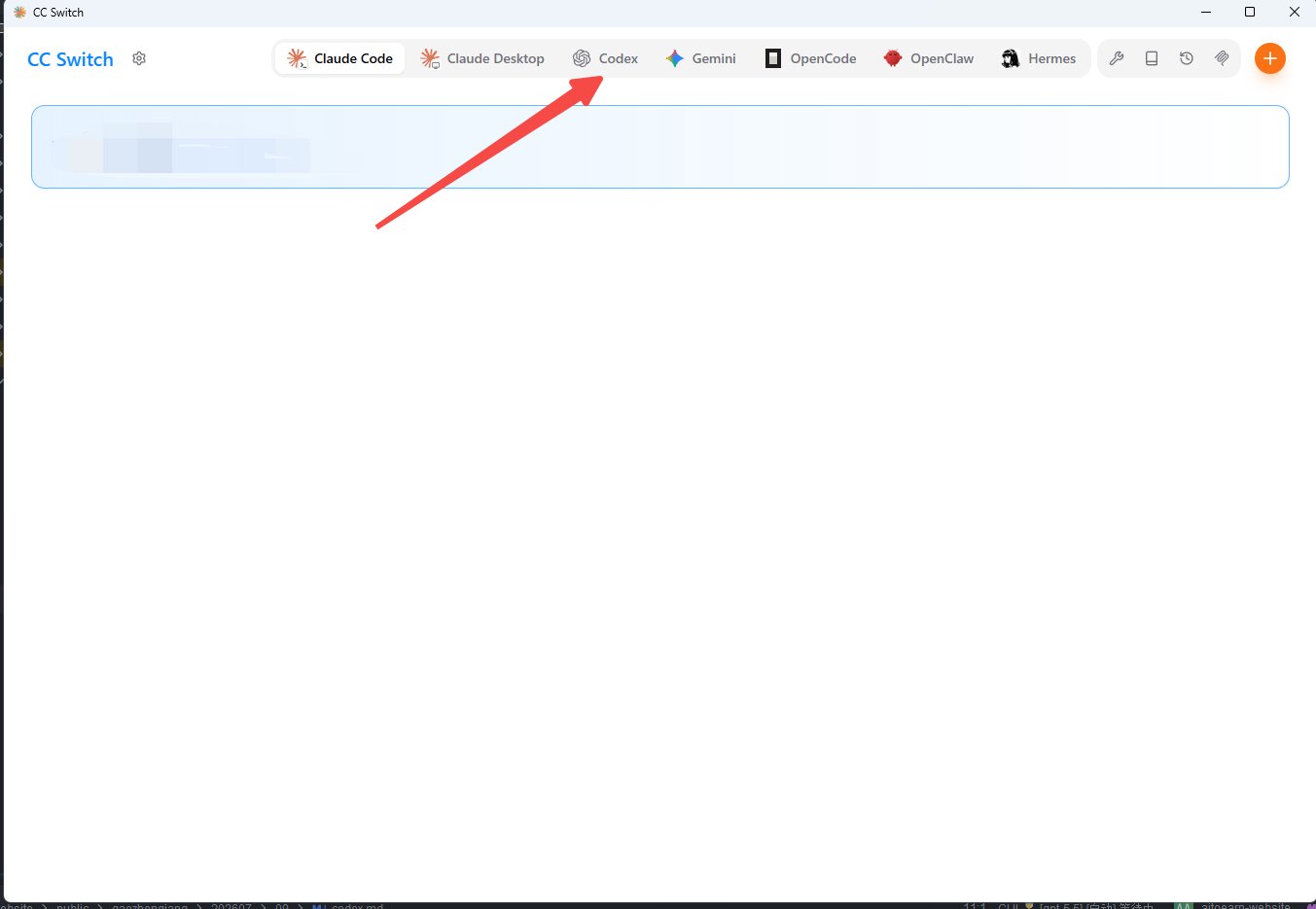
Open cc-switch and switch the top mode to `codex`.
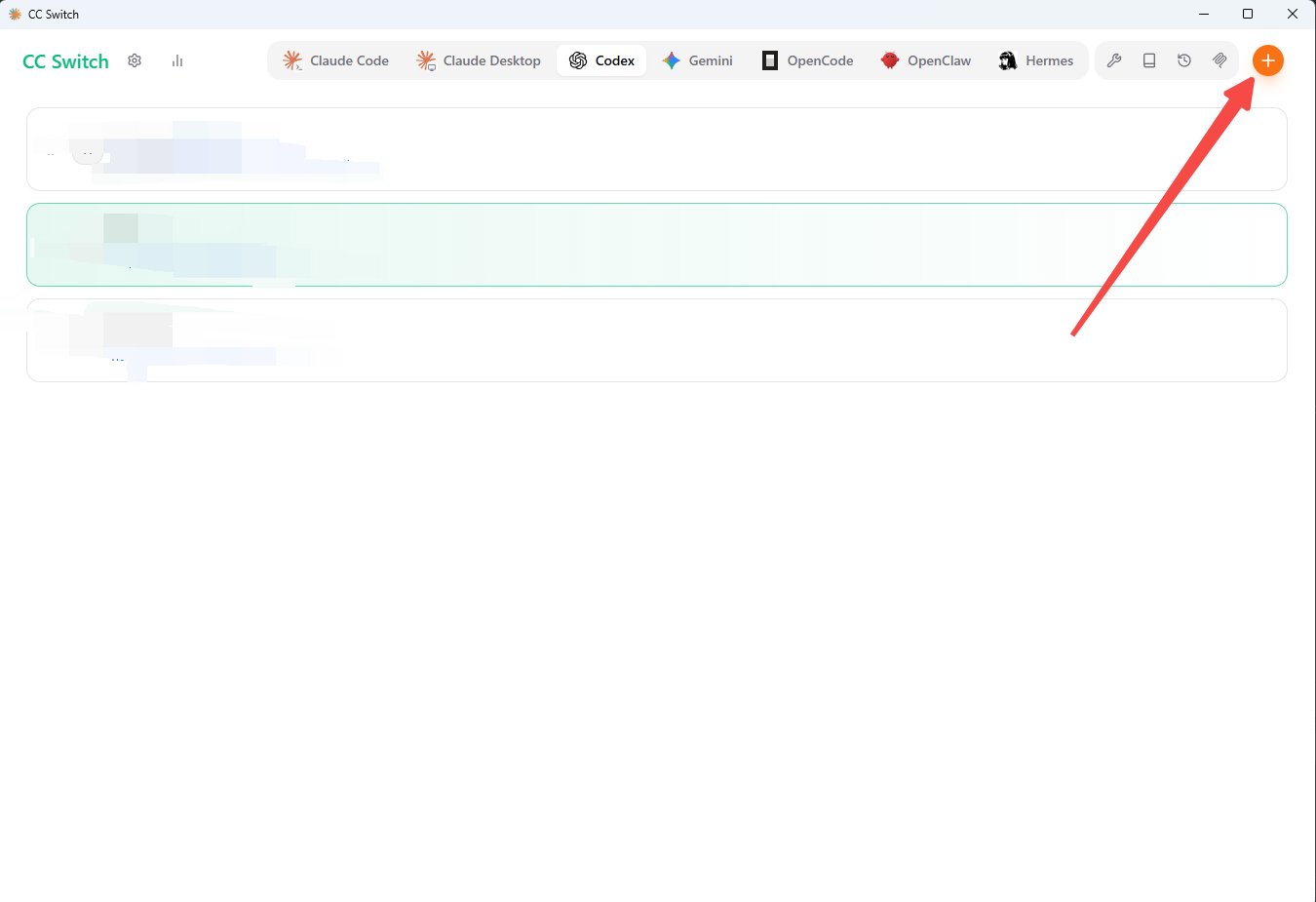
 Click the create button to add a new provider.
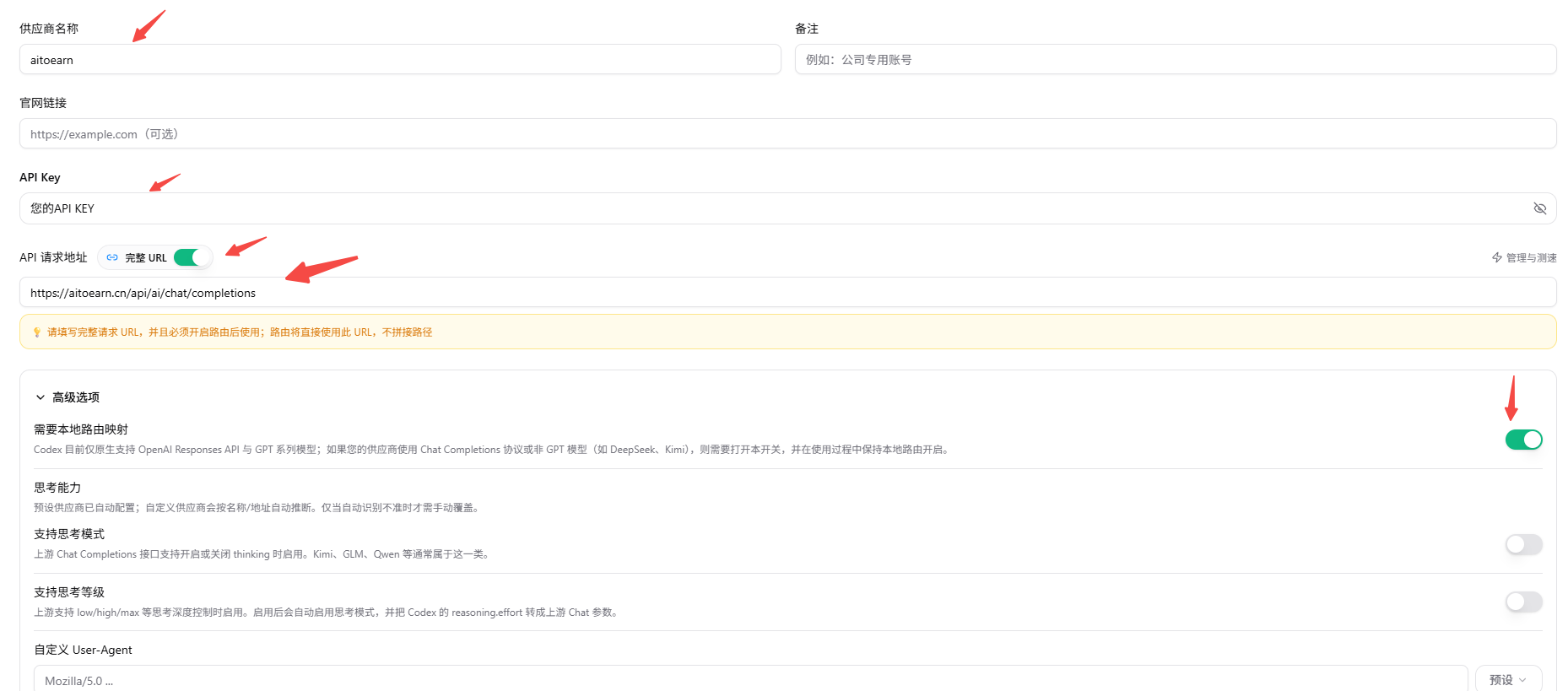
 Keep the default custom configuration type. Scroll down and fill in:
* Provider name: use `aitoearn` so it is easy to recognize.
* API Key: paste the API Key created in AiToEarn.
* API request URL: enter the OpenAI Chat Completions endpoint that matches your API Key site.
Then open the advanced options and enable local route mapping.
Keep the default custom configuration type. Scroll down and fill in:
* Provider name: use `aitoearn` so it is easy to recognize.
* API Key: paste the API Key created in AiToEarn.
* API request URL: enter the OpenAI Chat Completions endpoint that matches your API Key site.
Then open the advanced options and enable local route mapping.
 Save the configuration.
## Enable the Provider
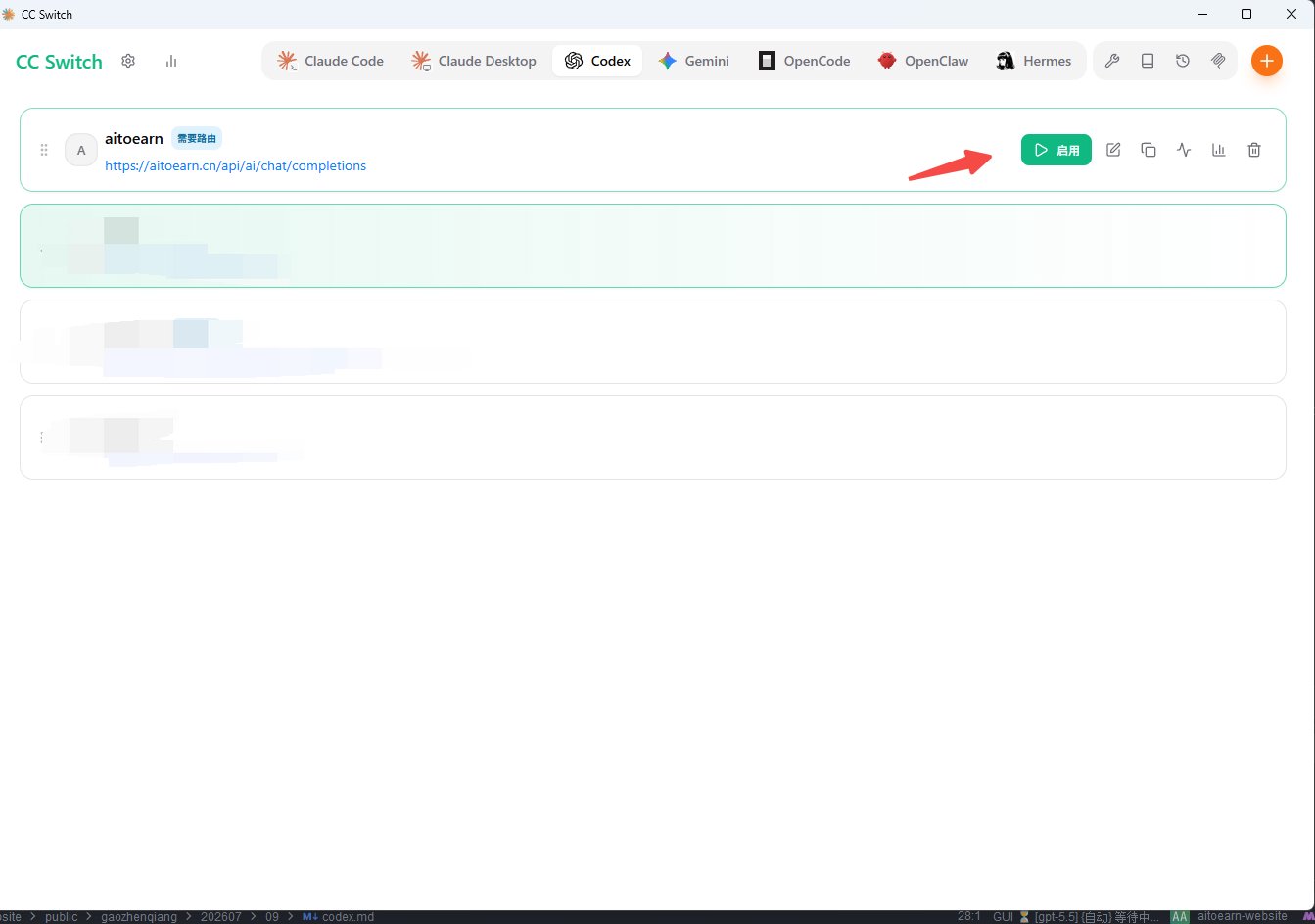
Return to the provider list and enable the AiToEarn configuration you just created.
Save the configuration.
## Enable the Provider
Return to the provider list and enable the AiToEarn configuration you just created.
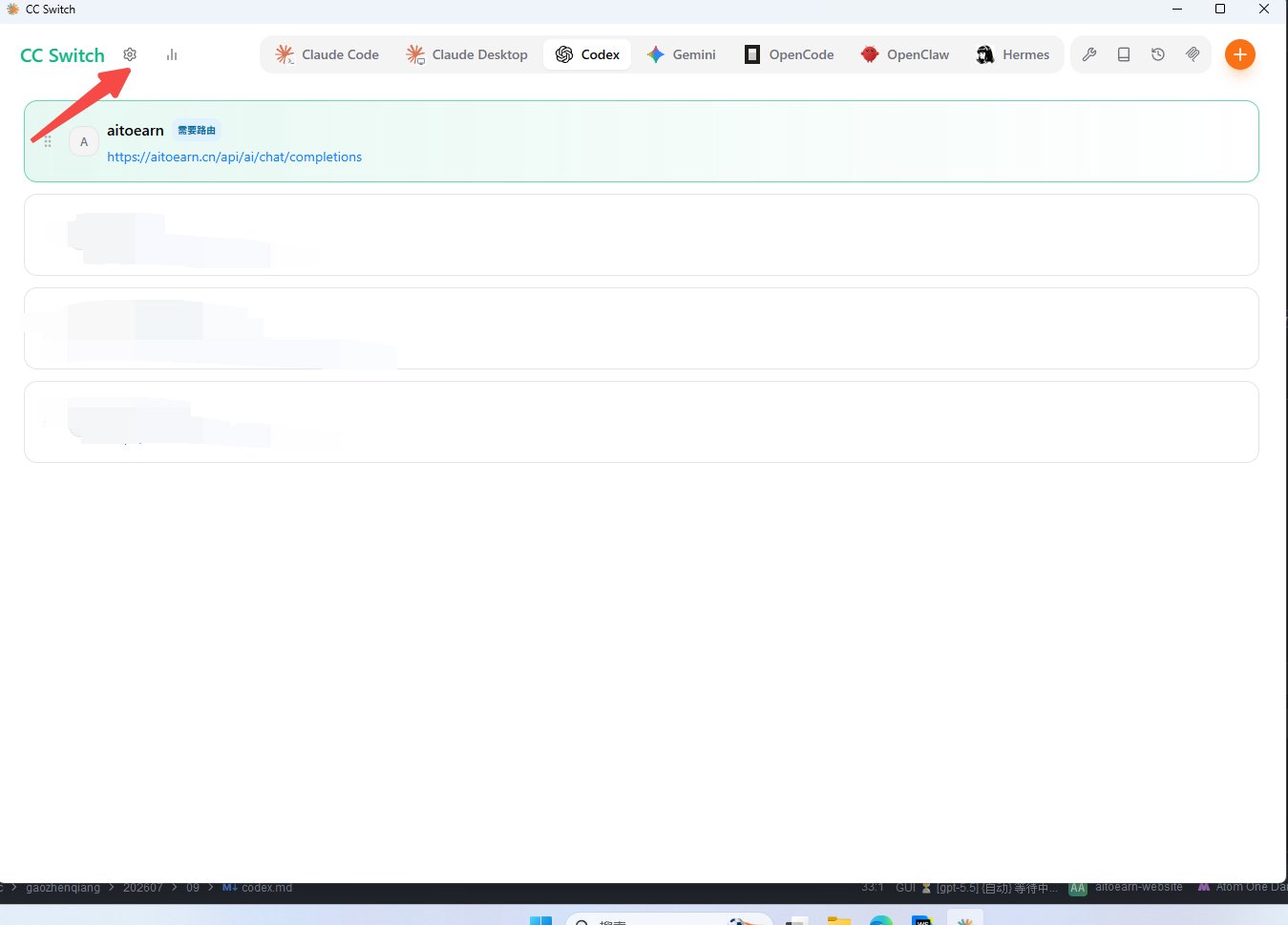
 Open settings.
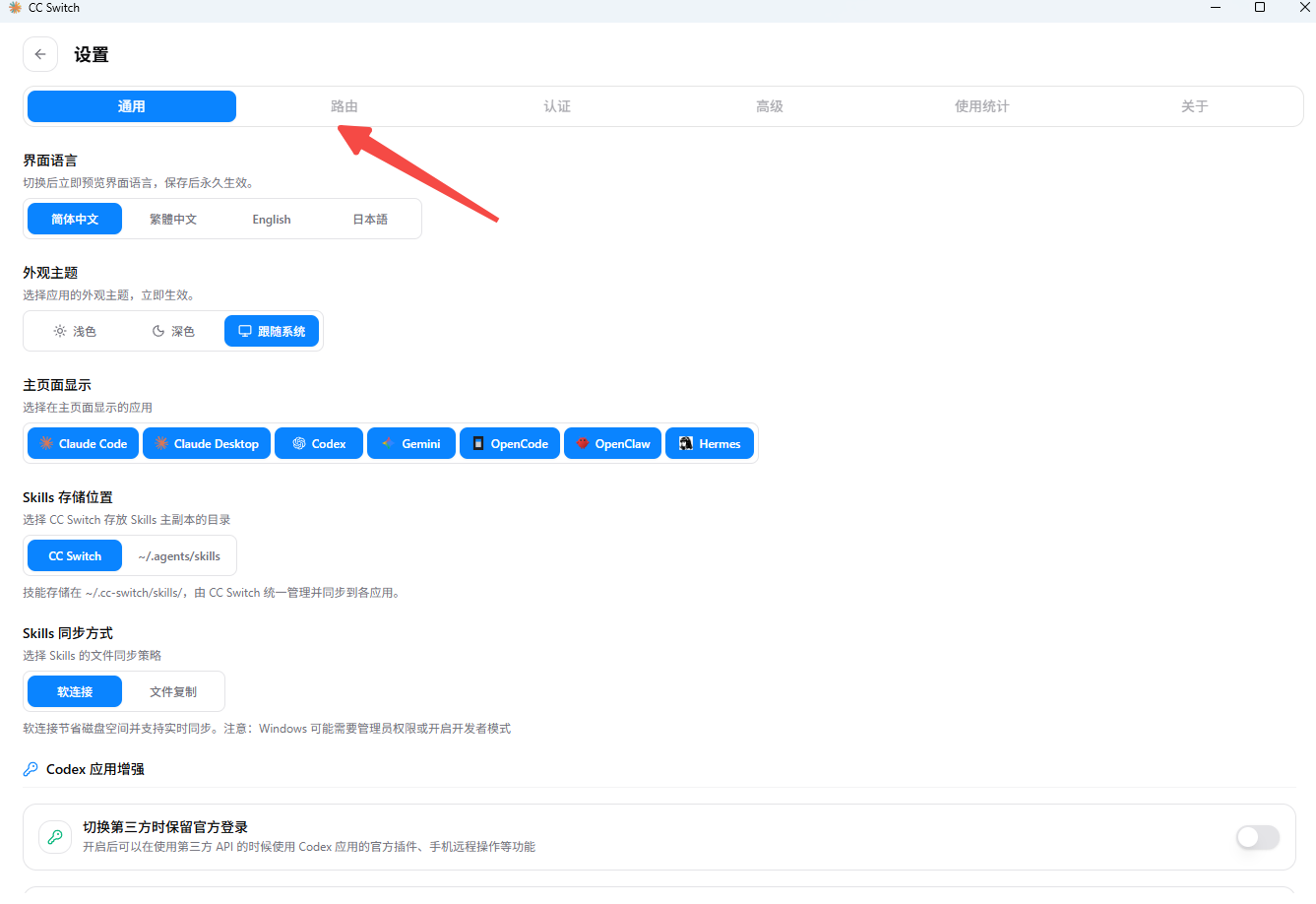
 Go to routing settings.
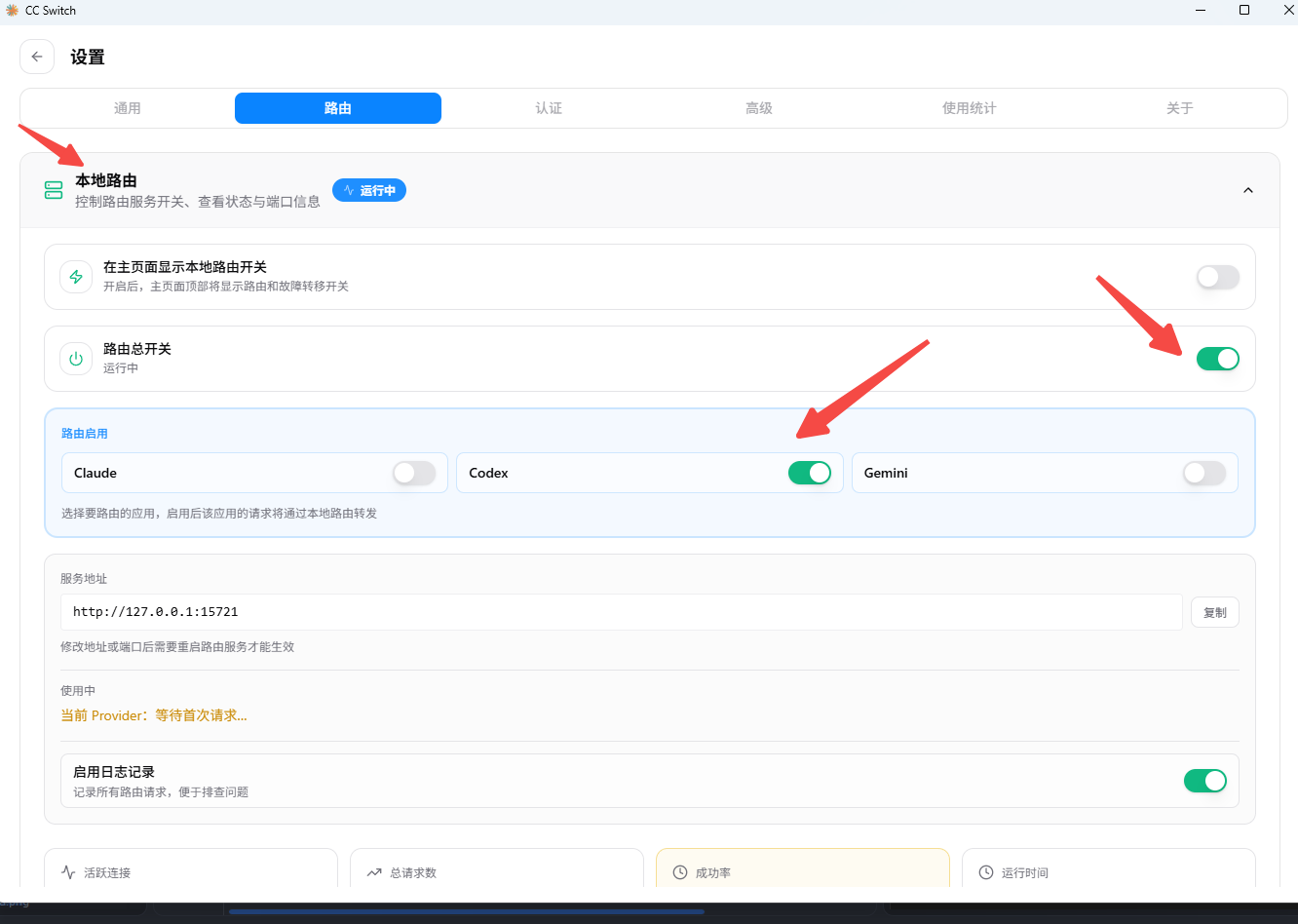
 Enable routing. After this, cc-switch handles Codex requests locally and forwards them to the AiToEarn endpoint you configured.
 ## Verify the Setup
Keep cc-switch running, then open Codex and send a simple message. If Codex returns a normal response, it is using AiToEarn through cc-switch.
If the request fails, check:
* Whether the API Key belongs to the site used in the request URL.
* Whether the API request URL matches the API Key site.
* Whether the AiToEarn provider is enabled.
* Whether cc-switch Codex routing is enabled.
* Whether the Codex model name comes from [Chat models](/api-reference/get-api-ai-models-chat).
## Verify the Setup
Keep cc-switch running, then open Codex and send a simple message. If Codex returns a normal response, it is using AiToEarn through cc-switch.
If the request fails, check:
* Whether the API Key belongs to the site used in the request URL.
* Whether the API request URL matches the API Key site.
* Whether the AiToEarn provider is enabled.
* Whether cc-switch Codex routing is enabled.
* Whether the Codex model name comes from [Chat models](/api-reference/get-api-ai-models-chat).