> ## Documentation Index
> Fetch the complete documentation index at: https://docs.aitoearn.ai/llms.txt
> Use this file to discover all available pages before exploring further.
# Creator Guide
> Complete tasks in the Task Marketplace and earn rewards.
## Important Notes
* Keep promotional content for the period specified on the task page. Deleting it during the retention period may affect settlement.
* Keep likes, saves, comments, follows, and other required actions active for the specified period. Reversing them early may affect settlement.
* The platform counts only authentic, natural, and task-related valid actions.
* Complete identity verification on RedNote and other platforms when recommended to reduce account restrictions.
## Promotion Task Guide
1. Open the Task Marketplace and select a promotion task.
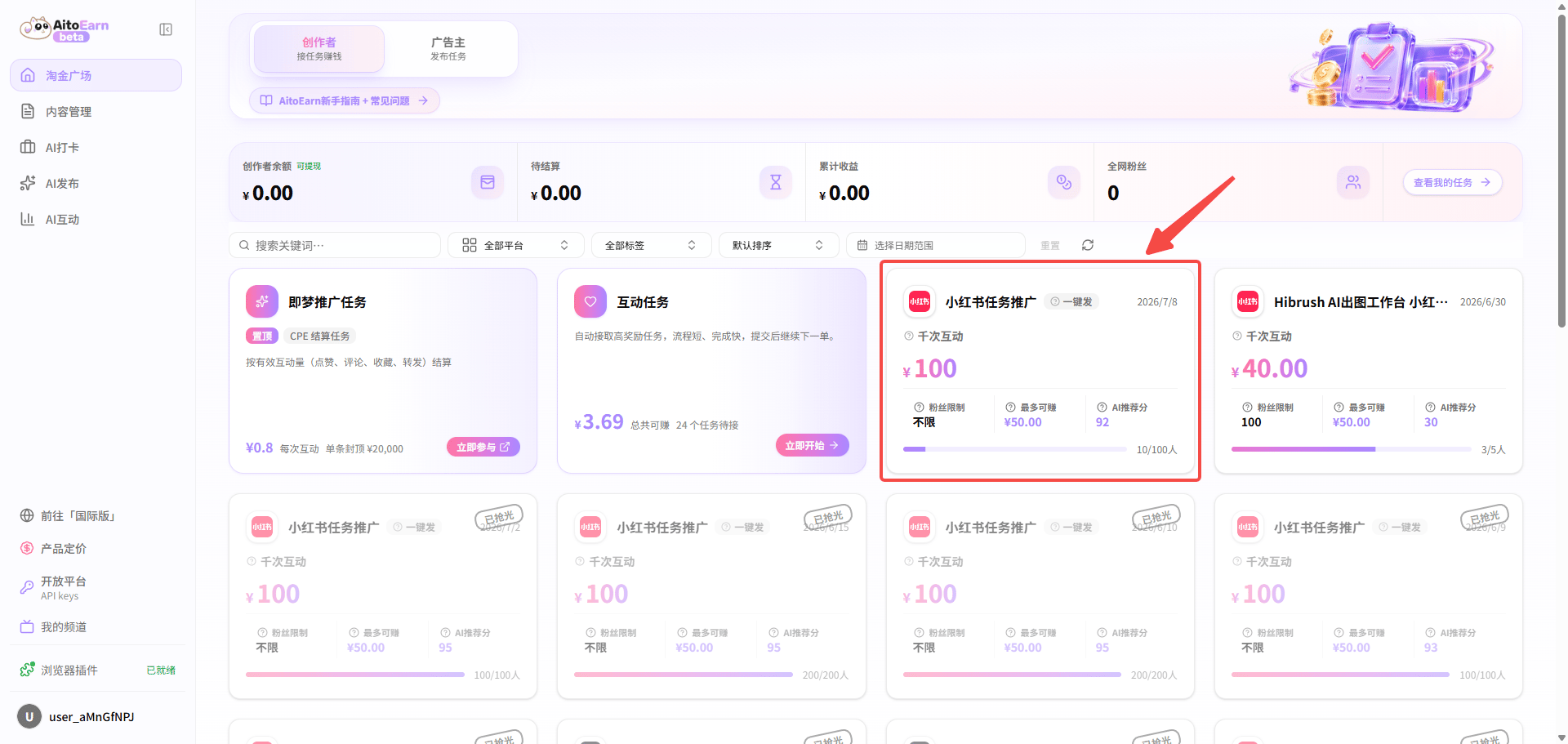
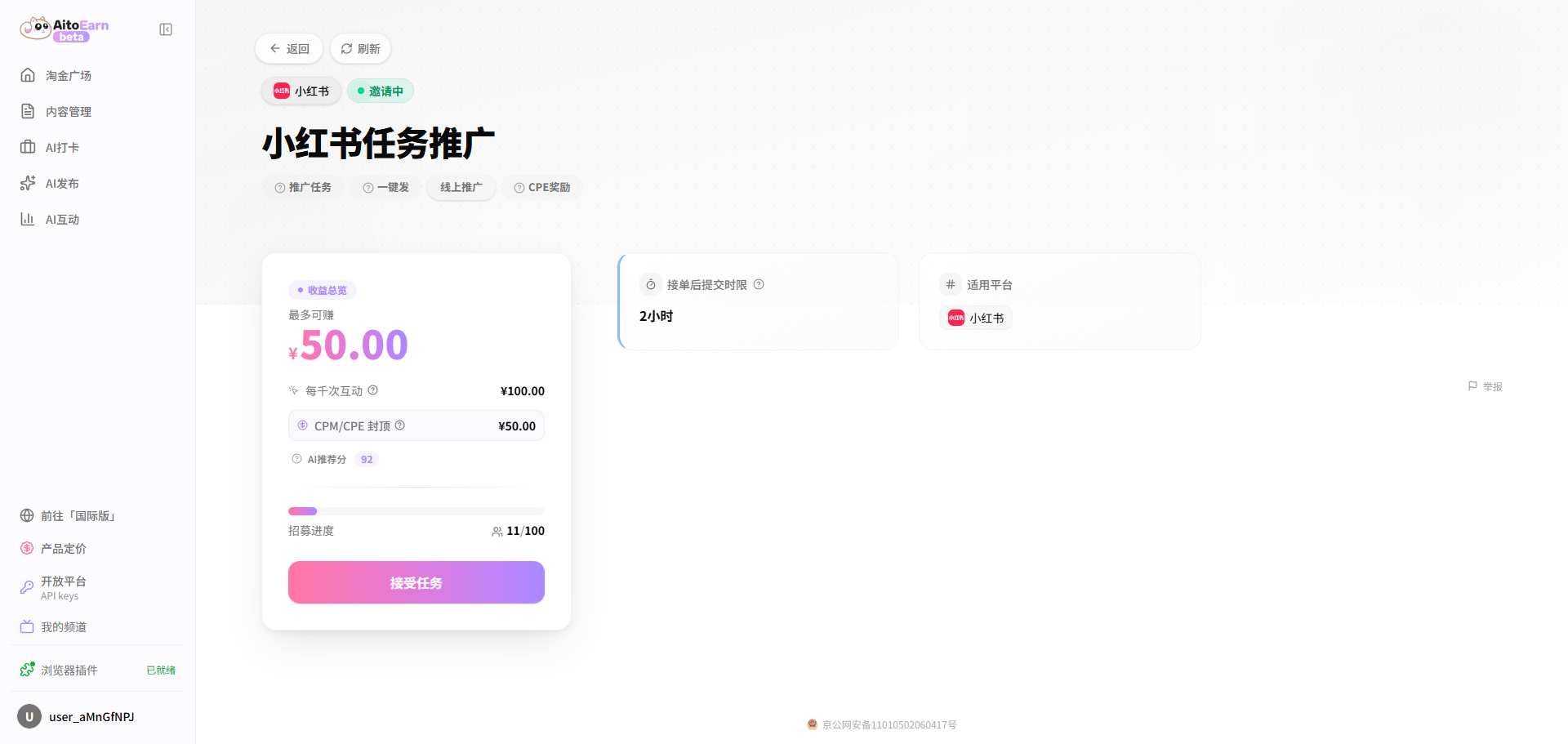 2. Review the platform, content requirements, reward rules, and retention period. Confirm whether the task uses a recommended draft or original content.
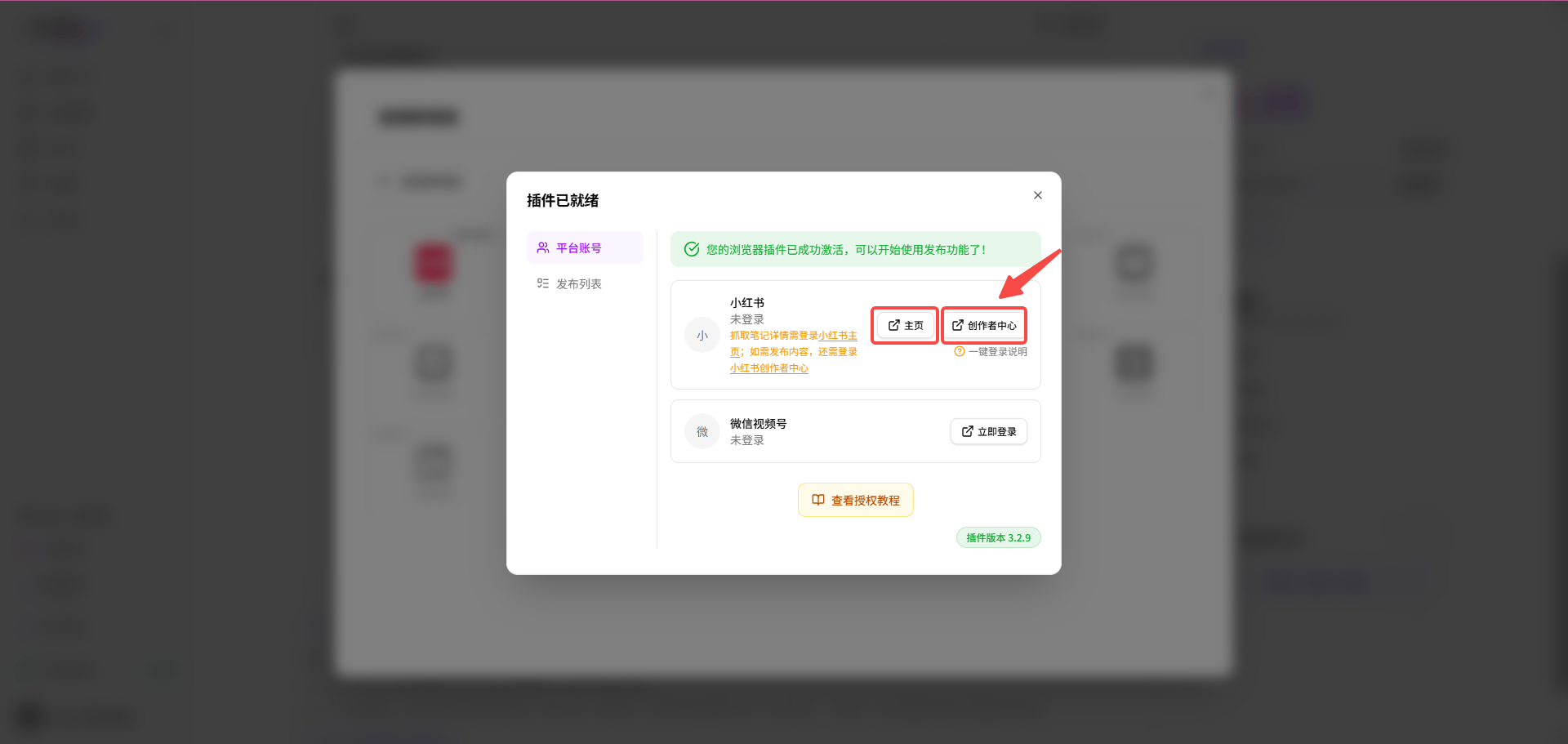
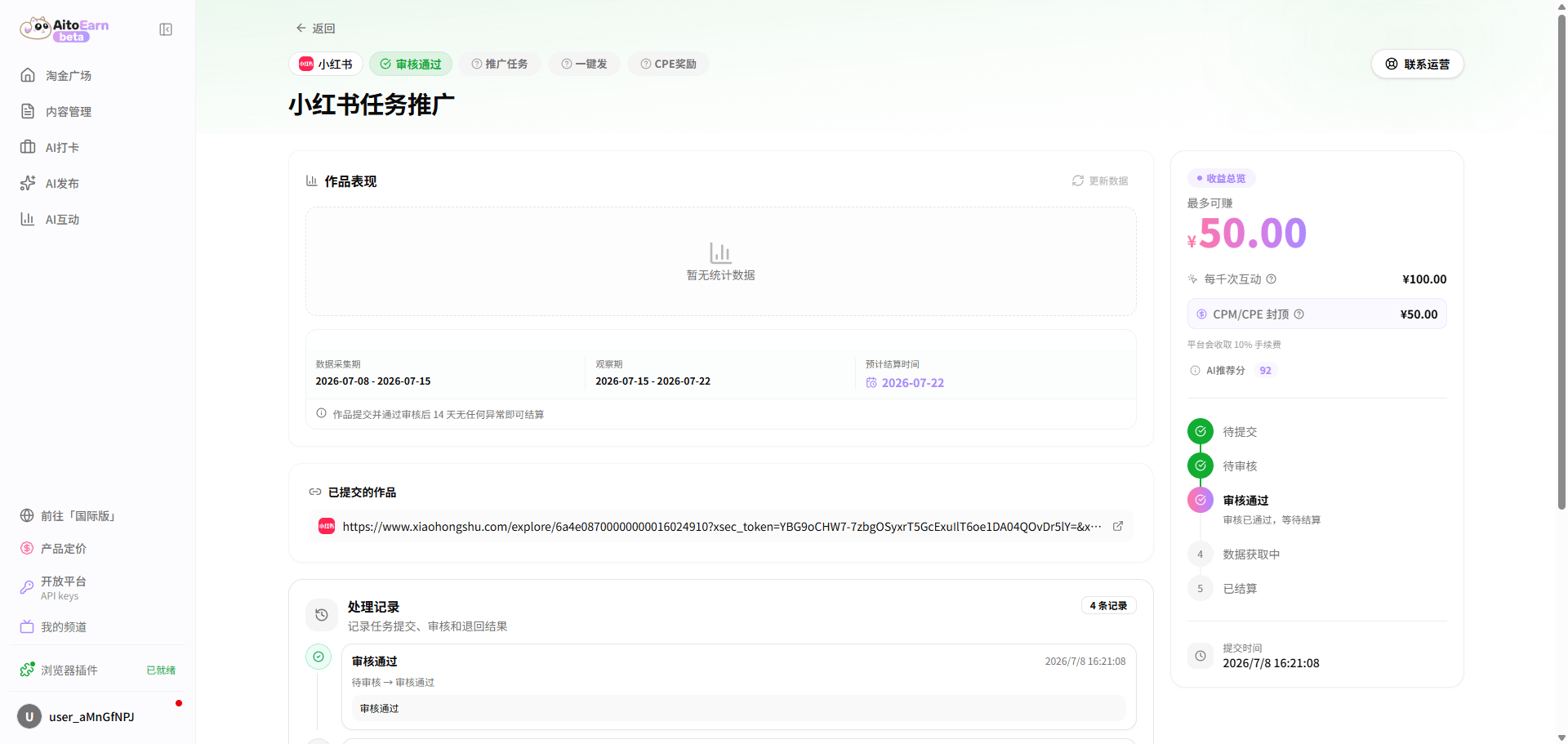
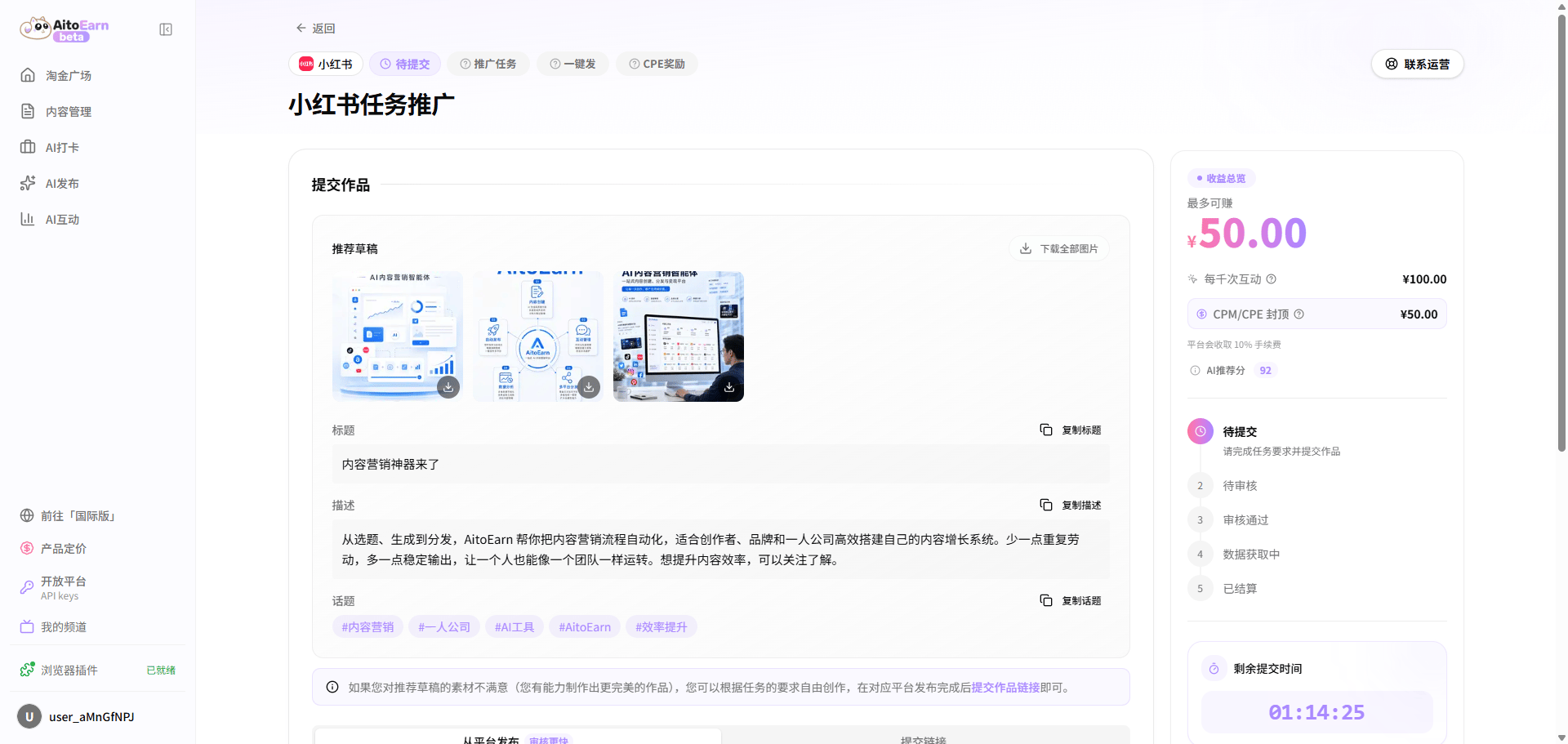 3. Publish before the submission deadline. You can connect a platform account for one-click publishing, or publish by scanning the QR code and then submit the post link.
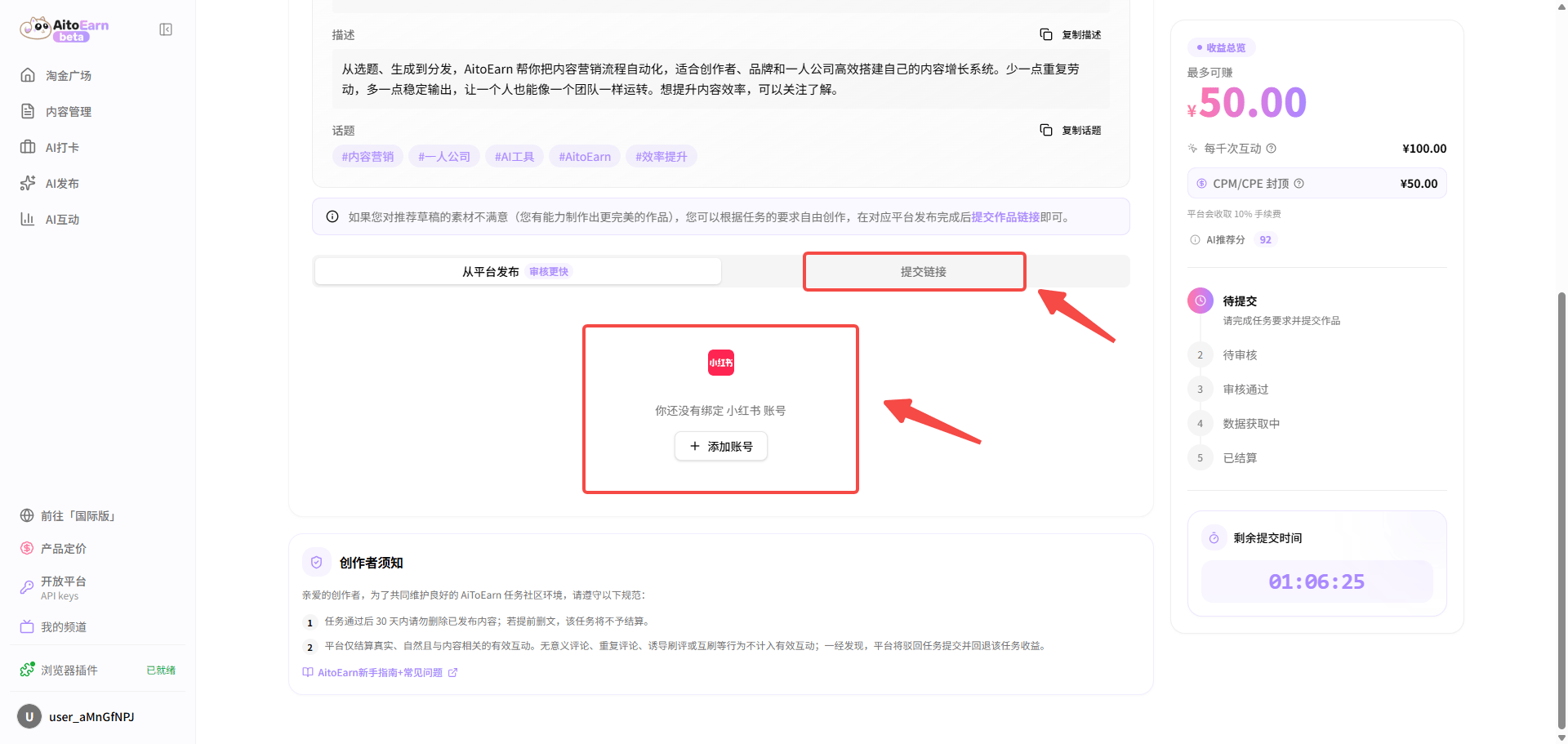 The example below uses RedNote. Connect the RedNote account and authorize both the RedNote home page and Creator Center. Install the [AiToEarn browser extension](https://chromewebstore.google.com/detail/aitoearn-extension/hnmocdhmnfgcjnedmdgfefcobideaeja) first. See the [extension guide](https://aitoearn.cn/zh-CN/websit/plugin-guide) for installation instructions.
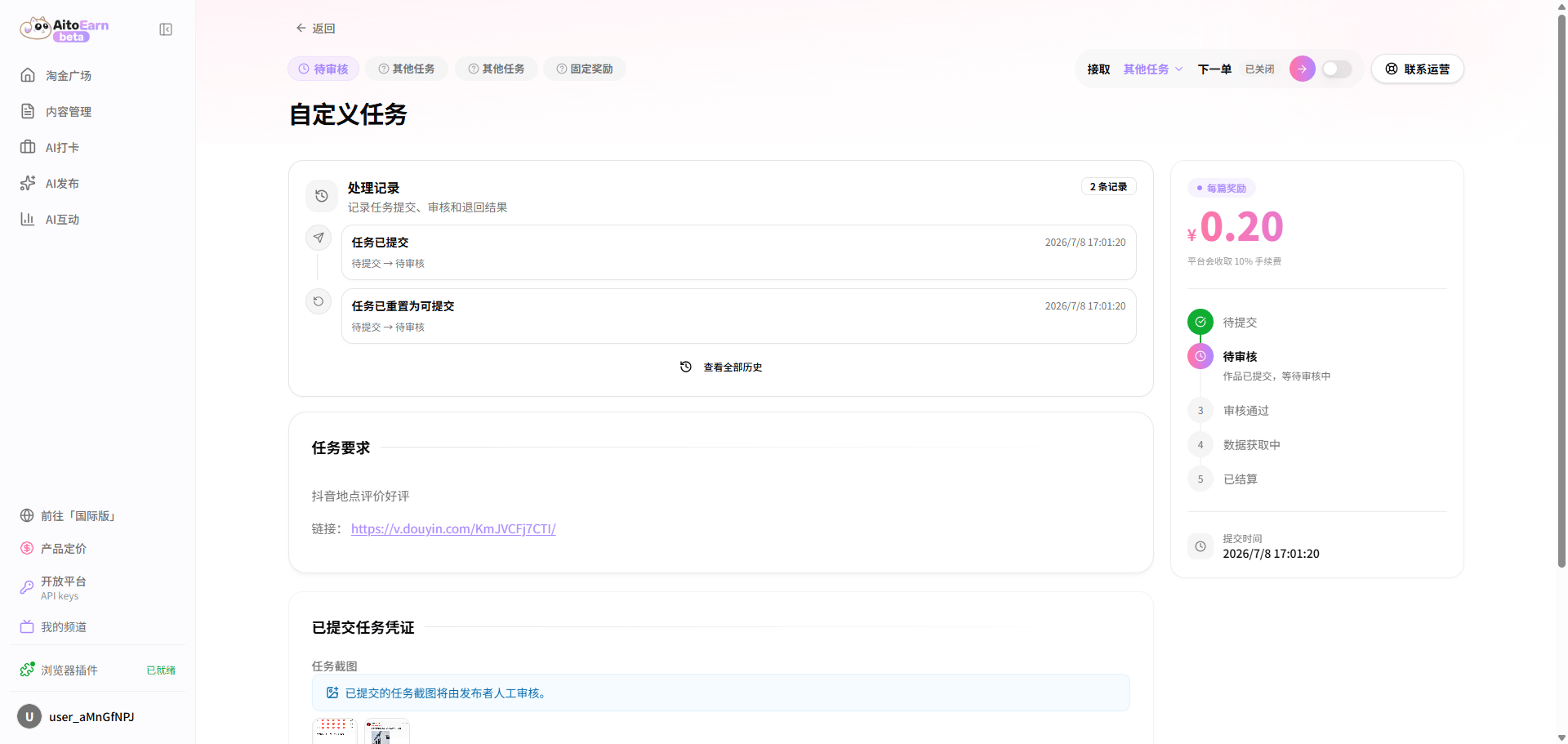
 4. Keep the content for the required period and wait for data collection and settlement.
 ## Engagement Task Guide
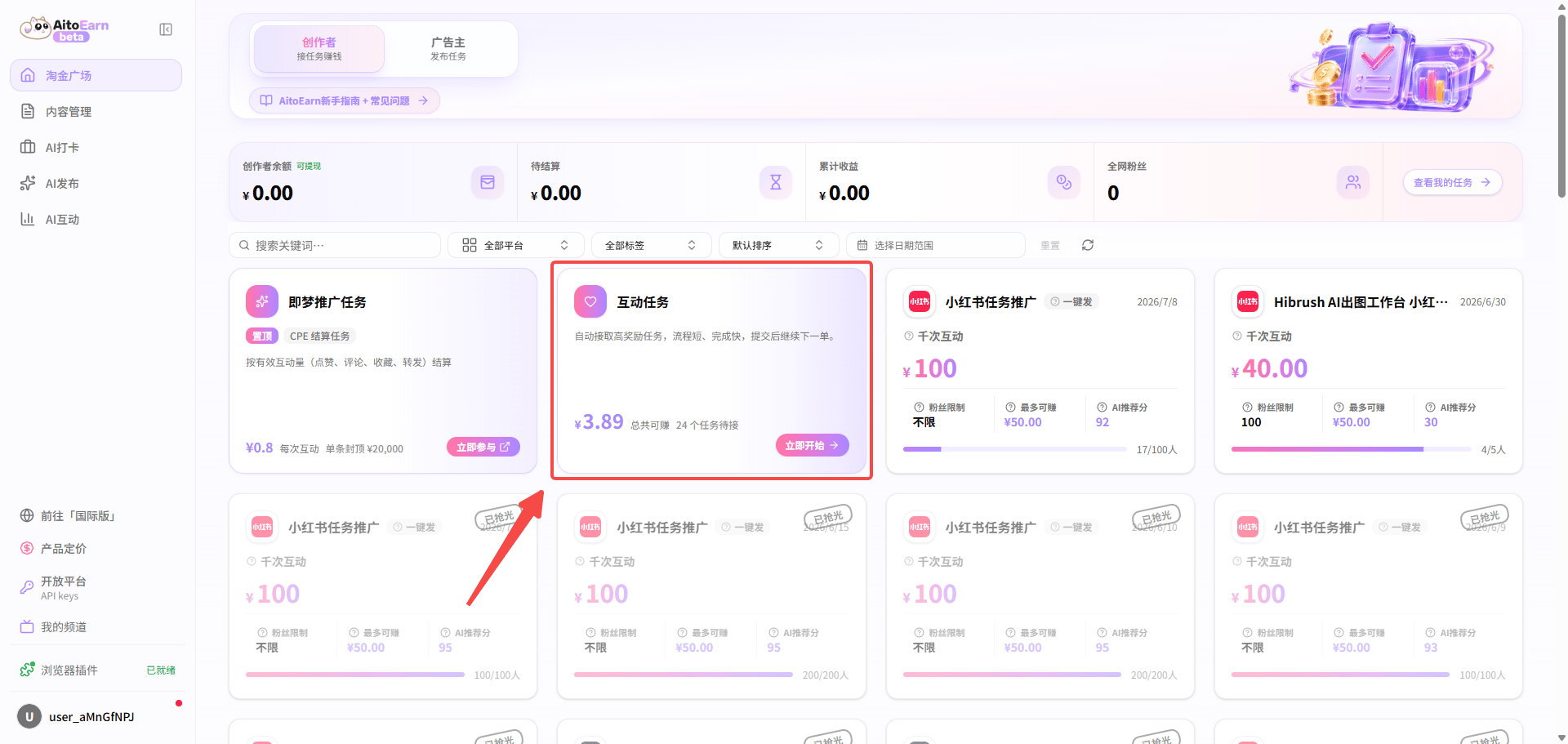
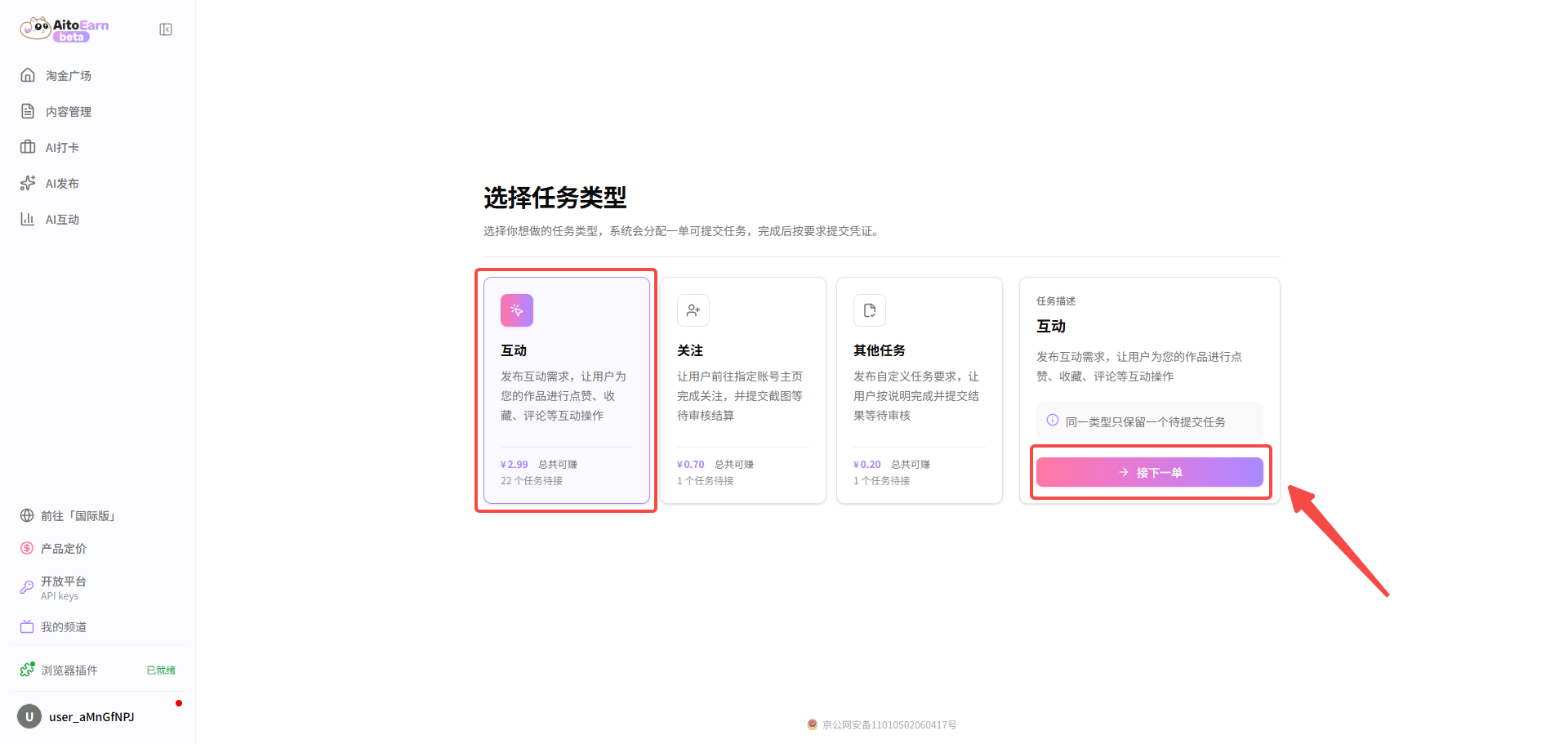
1. Open the Task Marketplace, select an engagement task, and take the next task from the engagement card.
## Engagement Task Guide
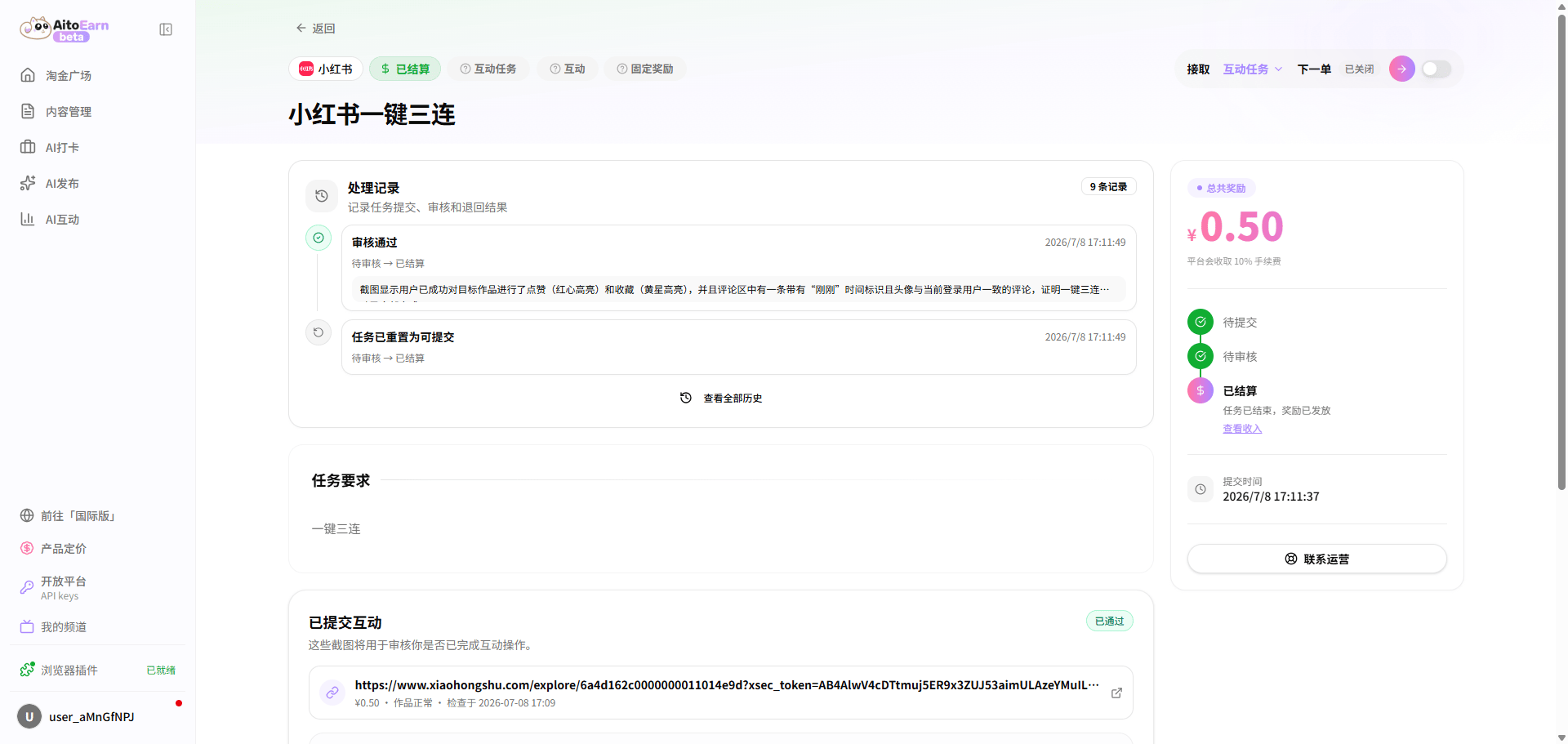
1. Open the Task Marketplace, select an engagement task, and take the next task from the engagement card.
 2. Complete the required engagement before the submission deadline and upload a screenshot as proof.
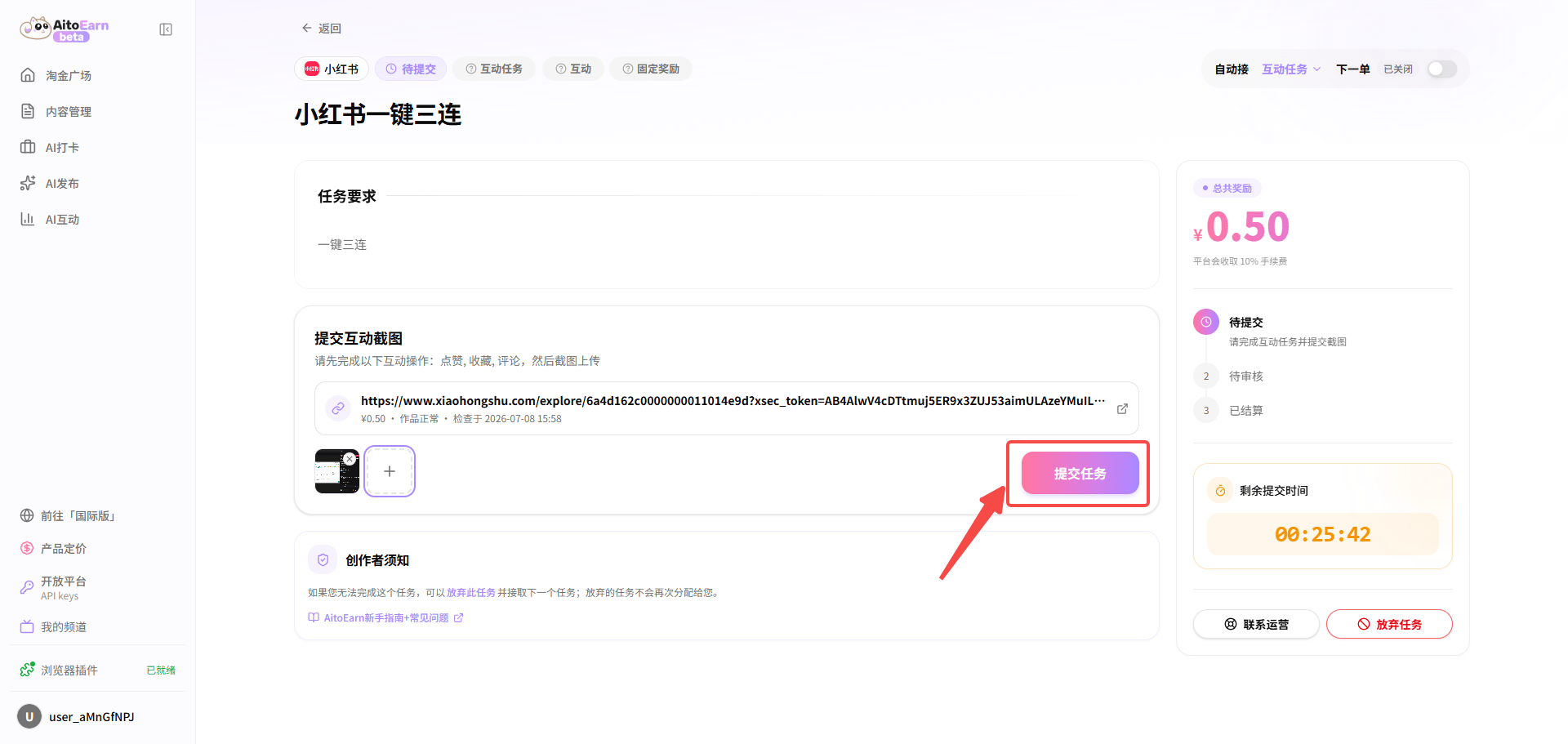 3. Keep the engagement active for the required period and wait for data collection and settlement.
 ## Follow Task Guide
1. Open the Task Marketplace, select an engagement task, and take the next task from the follow card.
2. Follow the specified account before the submission deadline and upload a screenshot as proof.
## Follow Task Guide
1. Open the Task Marketplace, select an engagement task, and take the next task from the follow card.
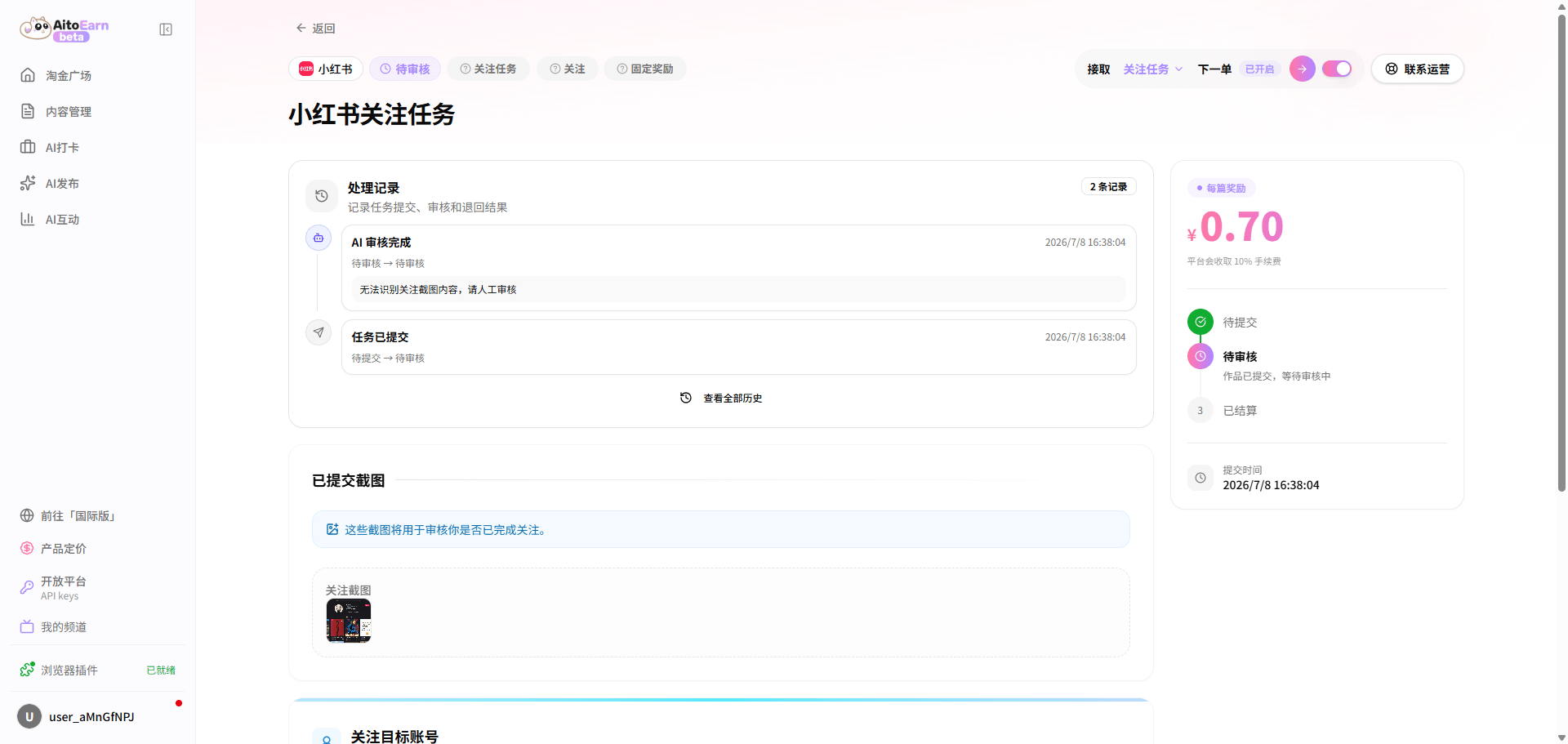
2. Follow the specified account before the submission deadline and upload a screenshot as proof.
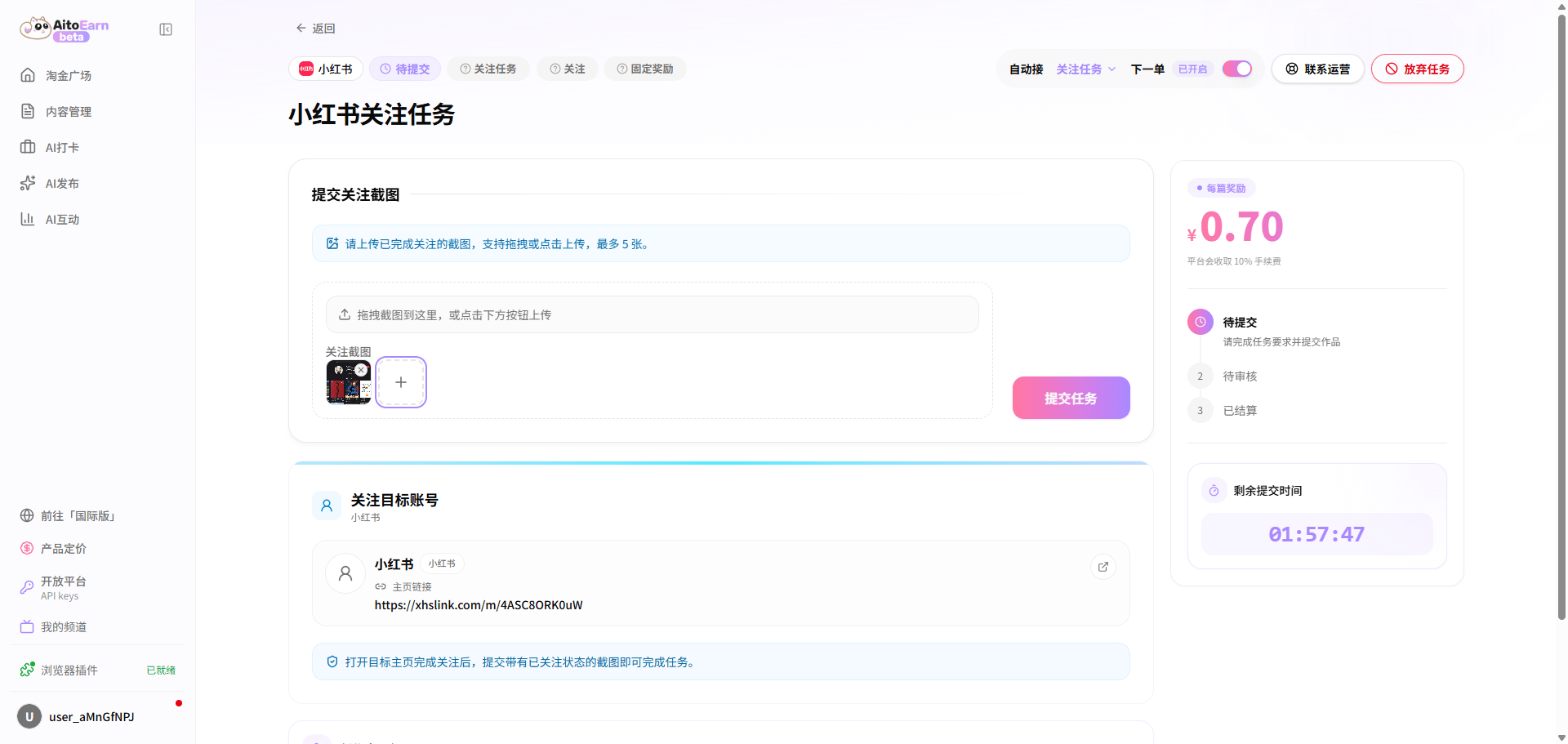 3. Keep following the account for the required period and wait for data collection and settlement.
 ## Other Task Guide
1. Open the Task Marketplace, select **Other**, and take the next task from the task card.
2. Complete the task before the submission deadline and upload the required proof.
## Other Task Guide
1. Open the Task Marketplace, select **Other**, and take the next task from the task card.
2. Complete the task before the submission deadline and upload the required proof.
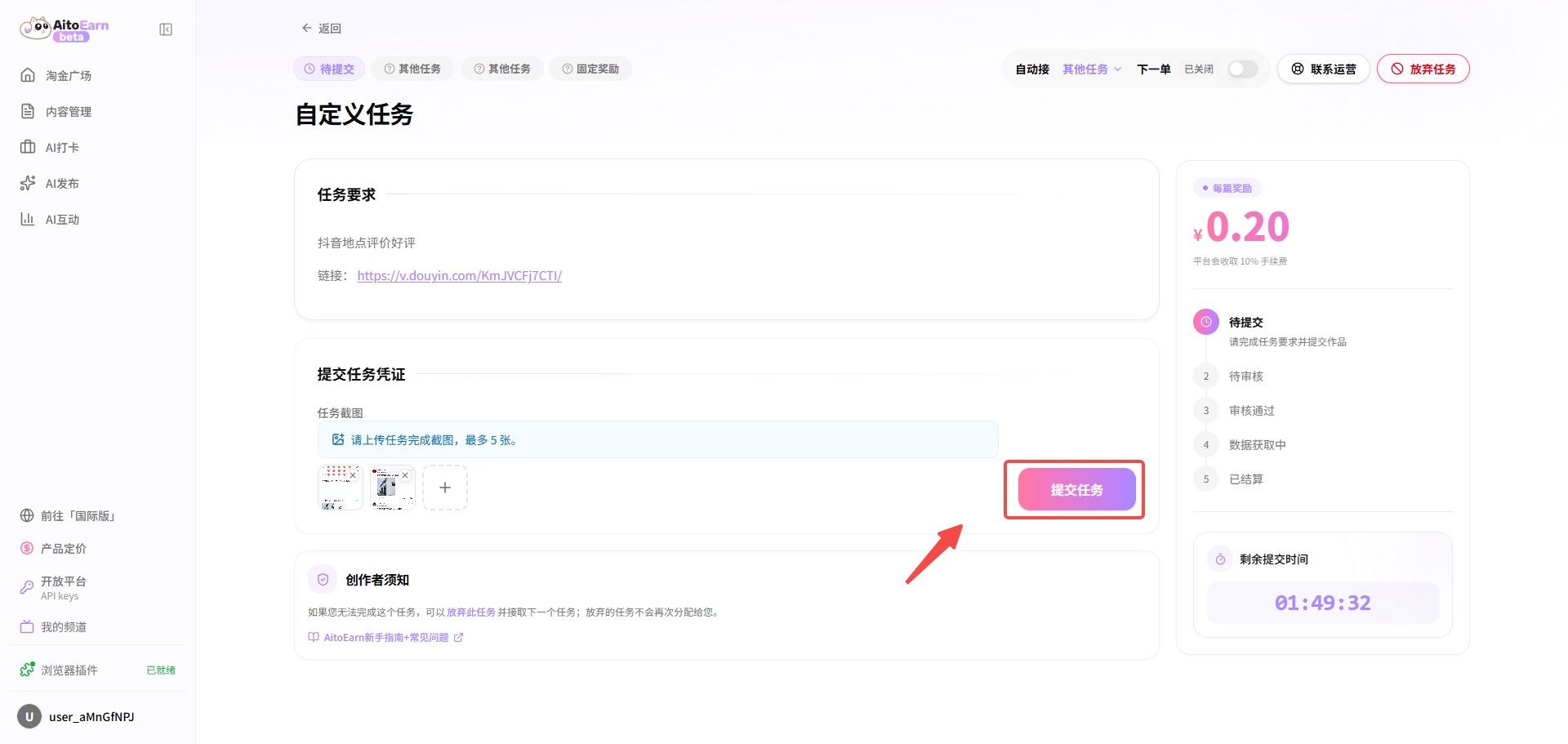 3. Keep the task result for the required period and wait for data collection and settlement.
 ## FAQ
### What should I do if AI review fails for an engagement task?
Confirm that you completed the correct action on the specified post and uploaded a clear screenshot. Comments must be authentic and relevant. If the result is correct but review still fails, select **Cancel Task Submission** on the task details page and submit it again. If the result still differs from what you expected, select **Request Manual Review** or **Submit a Ticket**.
### What should I do if the Chrome Web Store is unavailable or the browser extension cannot be installed?
See the [extension guide](https://aitoearn.cn/zh-CN/websit/plugin-guide) and choose an installation method available to you.
## FAQ
### What should I do if AI review fails for an engagement task?
Confirm that you completed the correct action on the specified post and uploaded a clear screenshot. Comments must be authentic and relevant. If the result is correct but review still fails, select **Cancel Task Submission** on the task details page and submit it again. If the result still differs from what you expected, select **Request Manual Review** or **Submit a Ticket**.
### What should I do if the Chrome Web Store is unavailable or the browser extension cannot be installed?
See the [extension guide](https://aitoearn.cn/zh-CN/websit/plugin-guide) and choose an installation method available to you.